
Sharing, protection and access
Who reads a branch, who changes it and who merges into it is decided per branch. Share and access… in the branch menu shows it all, to anybody who reads the branch.
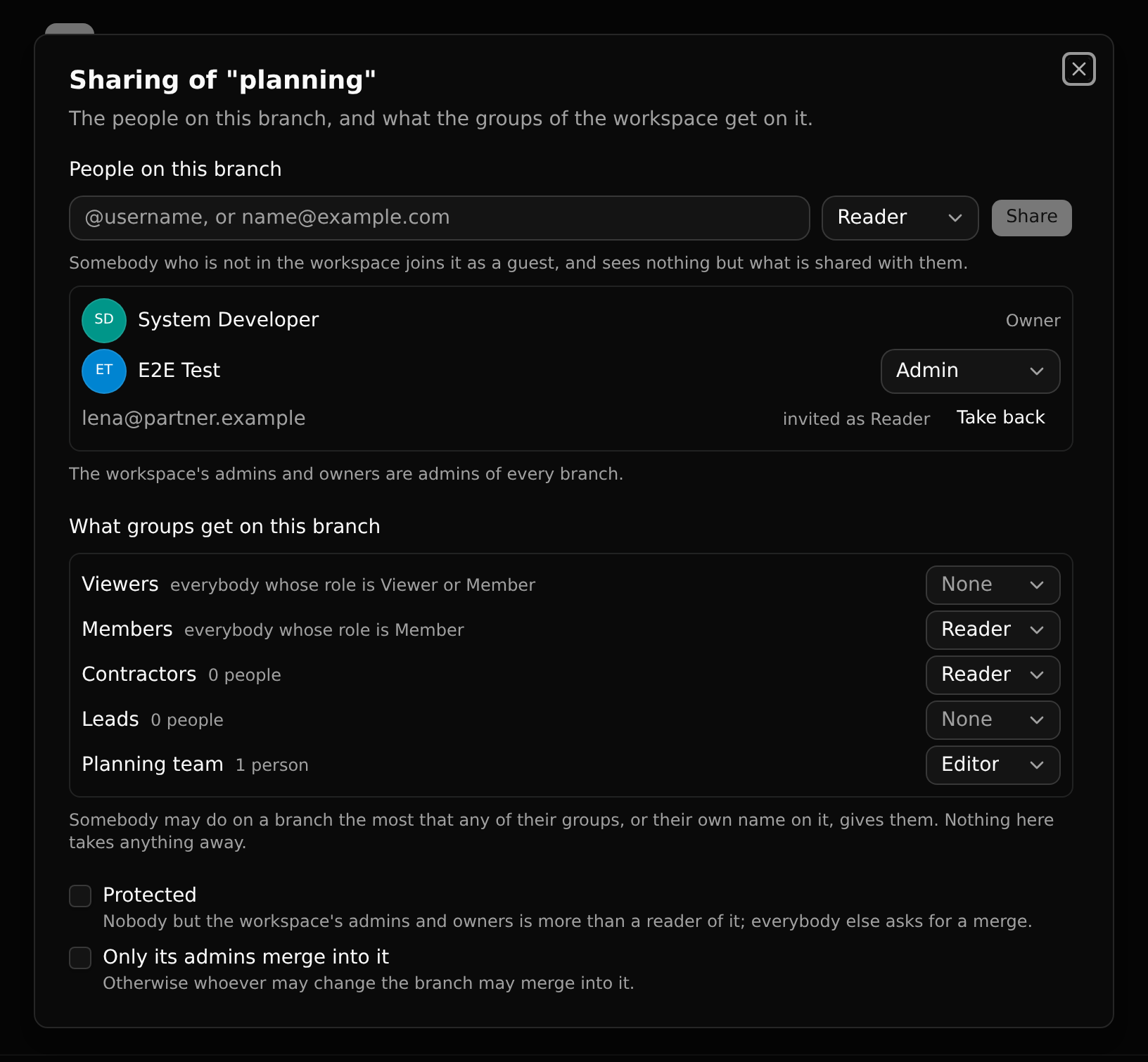
Three things work together: what the workspace's groups get on the branch, the people named on it, and two switches.
Roles on a branch
| Reader | Editor | Admin | Owner | |
|---|---|---|---|---|
| Read the branch, its history and its settings | ✓ | ✓ | ✓ | ✓ |
| Change it, commit, make a branch from it, merge into it, ask for a merge | ✓ | ✓ | ✓ | |
| Set its access, share it | ✓ | ✓ | ||
| Cannot be taken off it | ✓ |
- The owner is whoever made the branch. They hand it to somebody else with Make owner, and stay on it as an admin.
- The workspace's admins and owners are admins of every branch. Nothing in a workspace is closed to them.
What decides your role
Your role on a branch is the highest of:
- what the branch gives each group you are in (its row of the access grid);
- what you were given there by name.
Nothing takes a role away: a cell or a name only gives. With no cell and no name for you, the branch is not there for you: it is not listed, cannot be opened by its address, and cannot be merged from.
The access grid
Members > Branch access shows every branch you read as a row, and what each group gets on it.
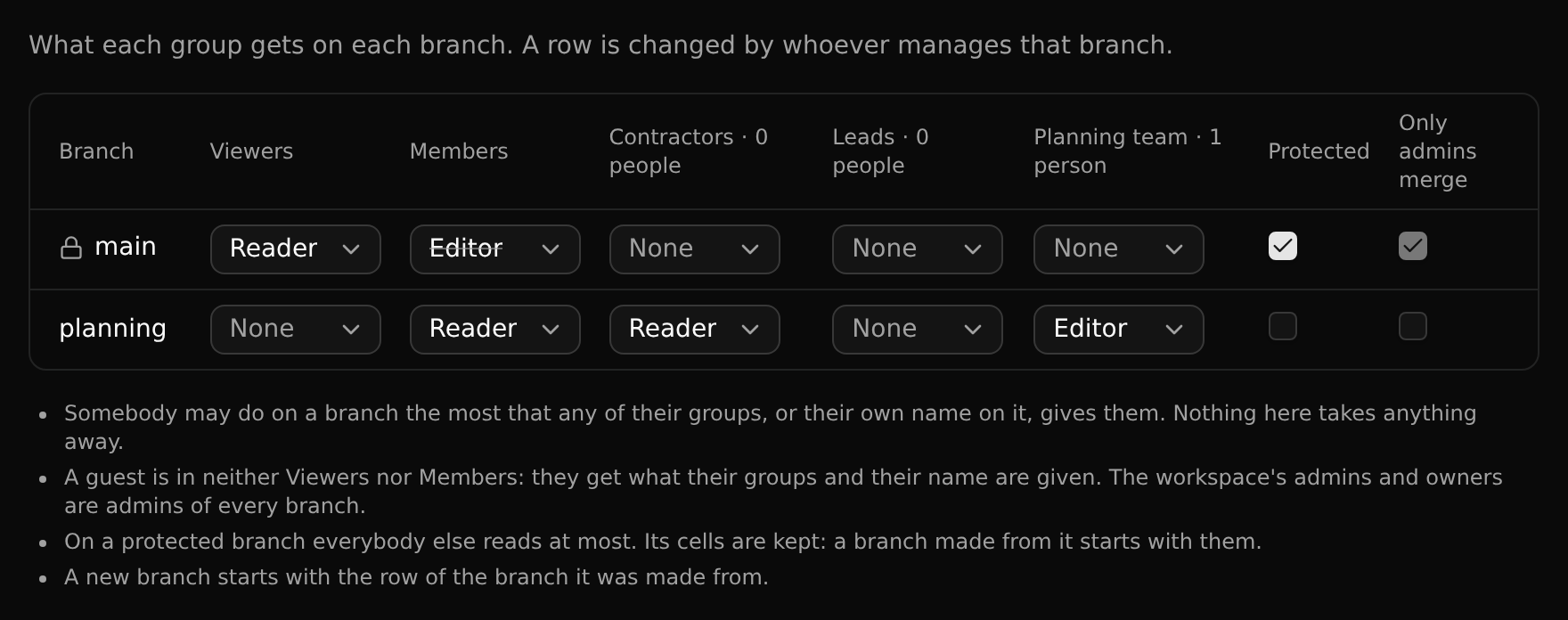
The columns are:
- Viewers: everybody whose role in the workspace is viewer or member.
- Members: everybody whose role is member.
- one for each of the workspace's groups.
A cell is None, Reader, Editor or Admin. So "members read this branch but only the planning team edits it" is Members: Reader, Planning team: Editor; and a branch only one group sees has None under Viewers and Members.
A guest is in neither Viewers nor Members. They get what their groups and their name are given.
A branch's row is also in its own Share and access… dialog. Whoever manages the branch changes it; a change is saved as you make it.
Sharing a branch
In the dialog, type a username or an e-mail address, pick a role, Share.
- Somebody in the workspace gets that role on the branch.
- Somebody with an account who is not in the workspace joins it as a guest: they see this branch and nothing else of the workspace.
- An e-mail address without an account is invited as a guest; the branch is theirs to read from their first sign-in.
The person is told in their Inbox. A role is changed, or taken away, from the menu in their row. To share with several people at once, put them in a group and give the group a cell.
A branch is a whole copy
A branch made from main holds everything main held. Sharing it shows all of that, not a selection of records. Share a branch with somebody who is to work on it, not to show them a few records.
Protected branches
Protected is a switch on the branch. Nobody but the workspace's admins and owners is more than a reader of a protected branch, whatever its cells and names say. A workspace's main is protected from the start; it carries a lock in the sidebar.
Everybody else reads it but cannot write, commit, cherry-pick, revert, install packages, change settings or merge into it. They are told so, with the way forward:
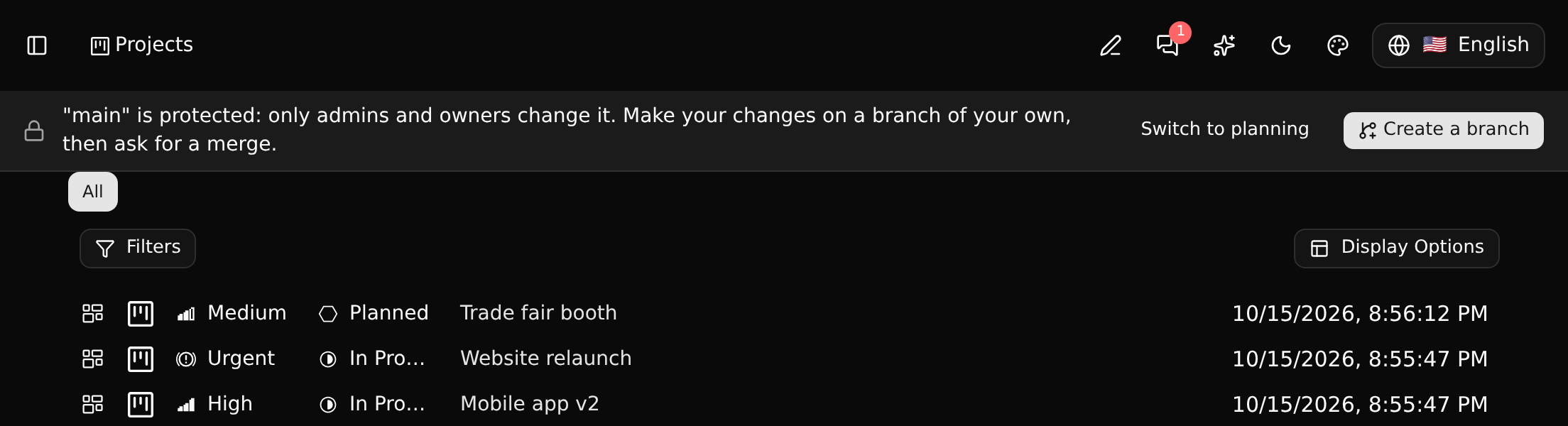
The way forward is to work on a branch of your own and ask for a merge. See Asking for a merge.
The cells of a protected branch are kept (they are struck through in the grid): a branch made from it starts with them. That is why a member's branch from main is theirs to edit.
A few things stay yours even on a protected branch: your favourites, your Inbox, chat.
Who merges
Whoever may change a branch may merge into it. The switch Only its admins merge into it keeps merging to the branch's admins and owner; everybody else asks for a merge.
New branches
A new branch starts with the row of the branch it was made from, and with its merge switch. Protection is not copied. So a restriction cannot be escaped by branching: a copy of a branch only one group sees is seen by that group only. Where the source is not given to Viewers at all, the people named on it are put on the copy too, as readers.
A branch made from a release starts with what every workspace starts with: viewers read, members edit.
Who may set access and share
- The branch's owner and admins, and the workspace's admins and owners.
- Protecting a branch, and lifting protection, is the workspace's admins' and owners'. On a protected branch they alone manage it.
Agents
An API key does on a branch what its person may do there, checked on every request. An agent never writes to a protected branch, whatever its person's role.