
Workspaces
A workspace is where a group of people keep their records. Everybody in it has a role, and a signed-in person can open the workspaces they are in and no others. Somebody can also be in a workspace as a guest: for the branches shared with them and nothing more.
Kinds of workspace
| Kind | Address | What it is for |
|---|---|---|
| Team workspace | /acme | A team's records. It installs apps, connectors and workflows. |
| Personal workspace | /@username | Your own. Made when you choose your username; takes no other members. |
| App workspace | /~helpdesk | Where record types are built and released. See Apps and packages. |
| Workflow workspace | /_acme-flows | Where workflows are built and released. See Workflows. |
| Connector workspace | /!core | Where connectors to other services are defined. |
The first character of an address tells the kinds apart, so a team and an app can have the same name.
A few workspaces come with the platform: the Core app (/~core), which defines the basic record types and is installed everywhere; Core Workflows (/_core), the catalog of workflow functions; Core Connectors (/!core); and Solutions, a catalog of ready-made setups.
Switching and creating
The menu at the top of the sidebar lists your workspaces by kind. Create a new workspace is at its foot.
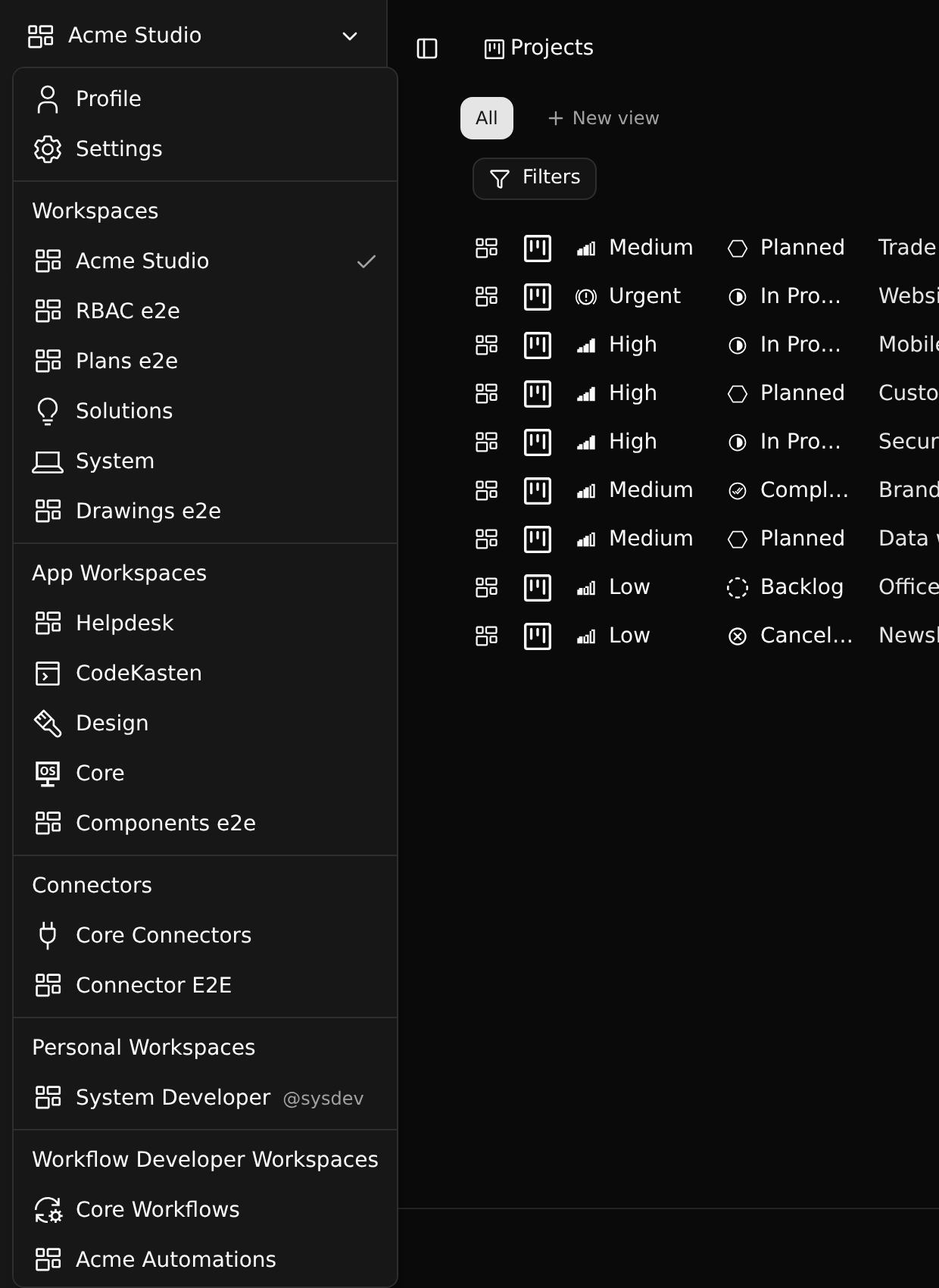
A new workspace needs a name and an address. An app workspace also needs a three-character ID prefix (HLP): every record type it defines gets an id that starts with it, and it cannot change later.
Whoever creates a workspace is its owner.
Branches
Every workspace has branches, shown under its name in the sidebar. The address of every page names the branch (/acme/main/…), so a link always opens the branch it was copied from. See Branches.
Working offline
Changes you make are written to an outbox in your browser first and sent to the server from there, so a short loss of connection loses nothing: the change is on screen at once and is sent when the server can be reached again. The Force Work offline switch in the sidebar holds everything back until you turn it off.