
The assistant
The assistant turns a sentence into one of the commands the page already has. Open it with the sparkle button in the header or Ctrl+J.
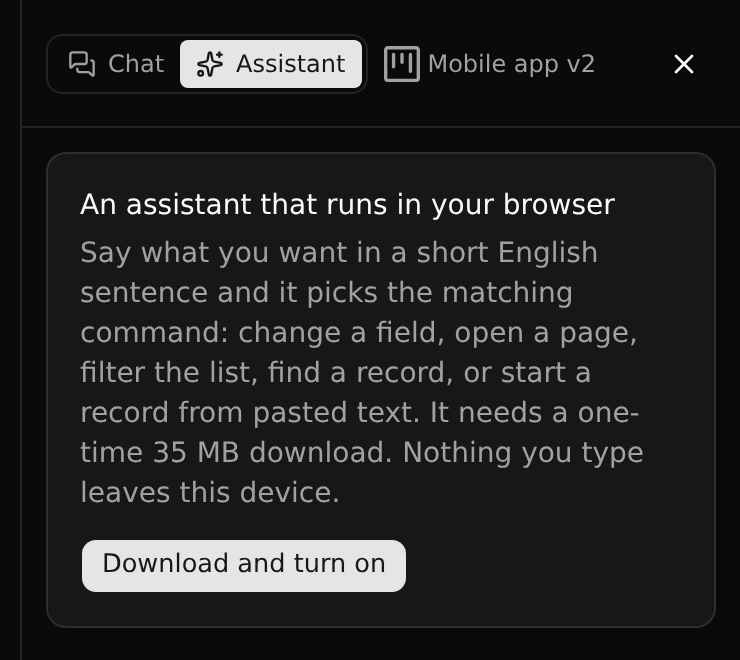
It runs in your browser
The assistant is a small model that runs on your device. Turning it on downloads it once (about 35 MB). Nothing you type is sent anywhere.
It is not a chat model. It does not write prose or answer questions: it picks a command and fills in its arguments. It understands short English sentences.
What you can ask for
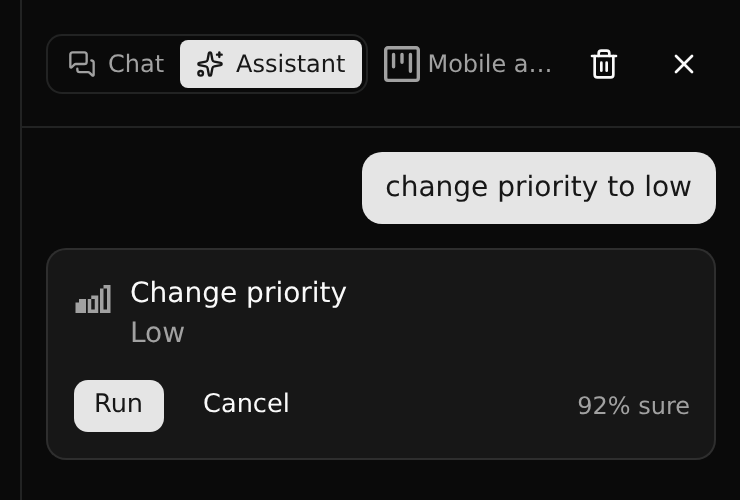
On a record: change priority to low, mark it as done, rename it to Spring launch.
In a list: show only urgent ones, group by status, find the invoice ticket.
Anywhere: go to members, new project called Trade fair, commit, new branch, switch to planning, show history.
Pasting a longer text (a mail, say) starts a new record with its form filled in from the text.
What it does on its own
- A change to data is always shown first and runs when you click Run.
- Going somewhere, filtering and searching run at once when the assistant is sure enough.
- When it is not sure it asks, and when it cannot match your request it says so and offers the nearest commands.
The panel shows how sure it was ("92% sure").
What to expect
Measured on a fixed set of test requests, the assistant picks the right command for about three in four. Plainly worded requests (change status to done) nearly always work; looser wording (we finished this) works less often. It reads English only.
Because every change waits for Run, a wrong guess costs a click, not data.