
Text, documents and files
Rich text
A record's description, and the body of a document, are edited with the same editor.
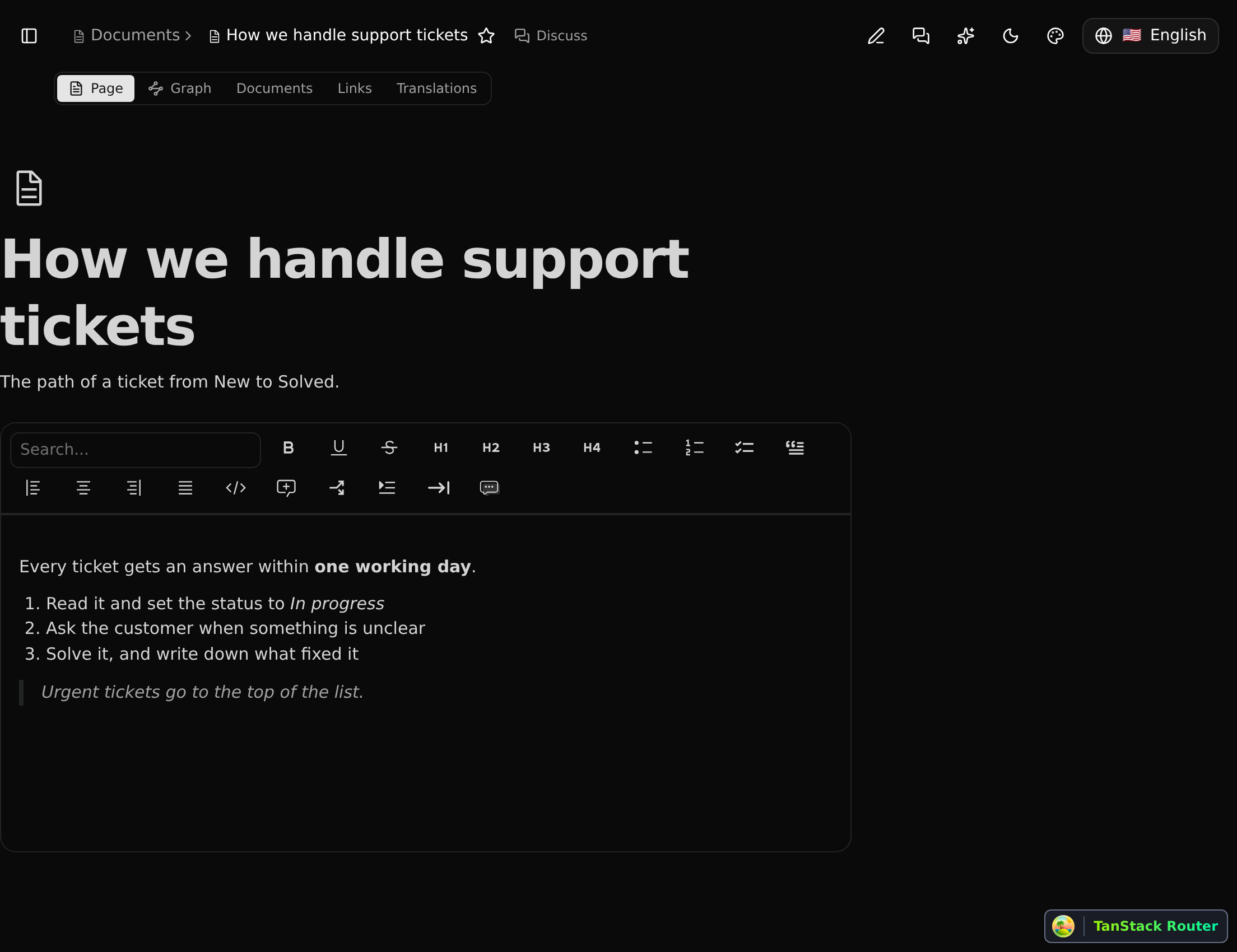
It has paragraphs, headings (four levels), bulleted, numbered and check lists, quotes, code blocks, dividers, callouts and toggles, alignment, and the marks bold, italic, underline, strikethrough and code. The toolbar appears above the text; the search box in it finds a block type by name.
Lists nest: Tab puts an item under the one above it, Shift+Tab steps it out again.
Text is saved as you write. Somebody who may not change the record sees the text without the toolbar.
Mentions
Type @ and a few letters to mention a member of the workspace. They are found by username first, then by name. The person gets an item in their Inbox that opens the record.
A mention stores the person, not the text: if their name changes, every mention shows the new one.
Links to records
Type [[ to link a record. The same picker as on a board opens: search by name and pick one; only records are offered, not the definitions behind them. The link is a badge in the text; its × takes it out.
A link also relates the two records: the record the text is on (the document, the note, or the record whose description it is) is related to the one linked, and the relation goes when the link does. A relation somebody made by hand between the same records is left alone. So a record's Related line and its Graph show what its text links to, and the linked record's Graph shows what links to it.
Documents
Documents is a record type like any other: it has a list, and each document has a page. Its body is rich text. Documents can be linked to other records, and then appear on that record's Documents line and tab.
A record's description is in fact a document that belongs to it, which is why both are edited the same way.
Files
A file is a record too (File), with the stored file behind it. Files are uploaded from the Files line of a record and can be linked to several records.
When the file is one CodeKasten has a viewer for, its page shows the file itself:
| Kind | Shown as |
|---|---|
| Pages, read-only, rendered in the browser | |
| Word, Excel, PowerPoint | The document, sheet or slides |
| CSV, TSV | A table |
| Images | The picture (also usable on a board) |
Other files can be downloaded.
How uploads are checked
Your browser sends the file straight to storage. CodeKasten then looks at what arrived and accepts it only if its size and type are what was announced; otherwise the upload is refused and removed. The content itself is not inspected.