
The Entity Builder
Entities in the sidebar of an app workspace is where record types are built. The rail on the left has one icon per type and a + for a new one; each type has four sections: Overview, Fields, Views and Relations.
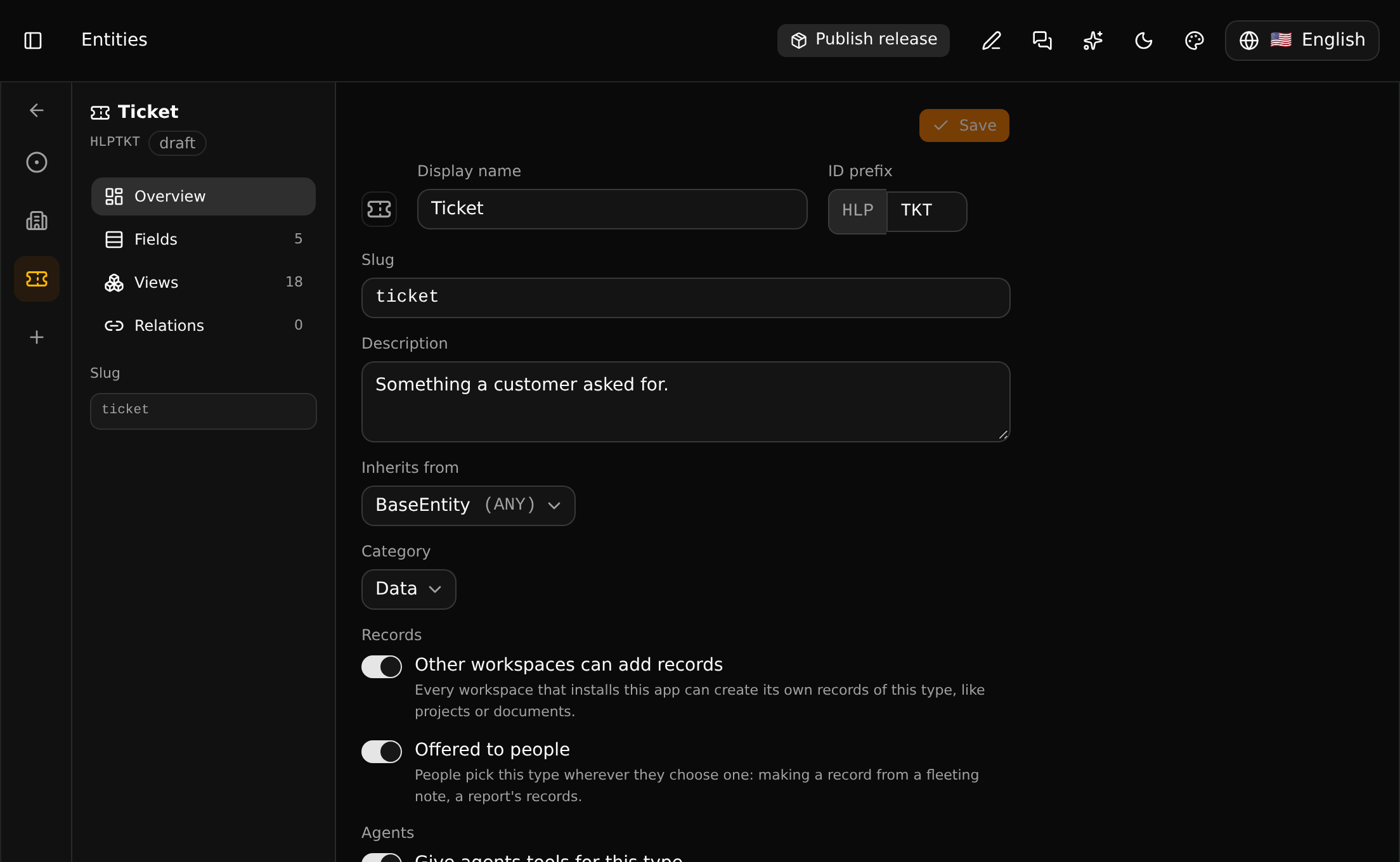
A new type
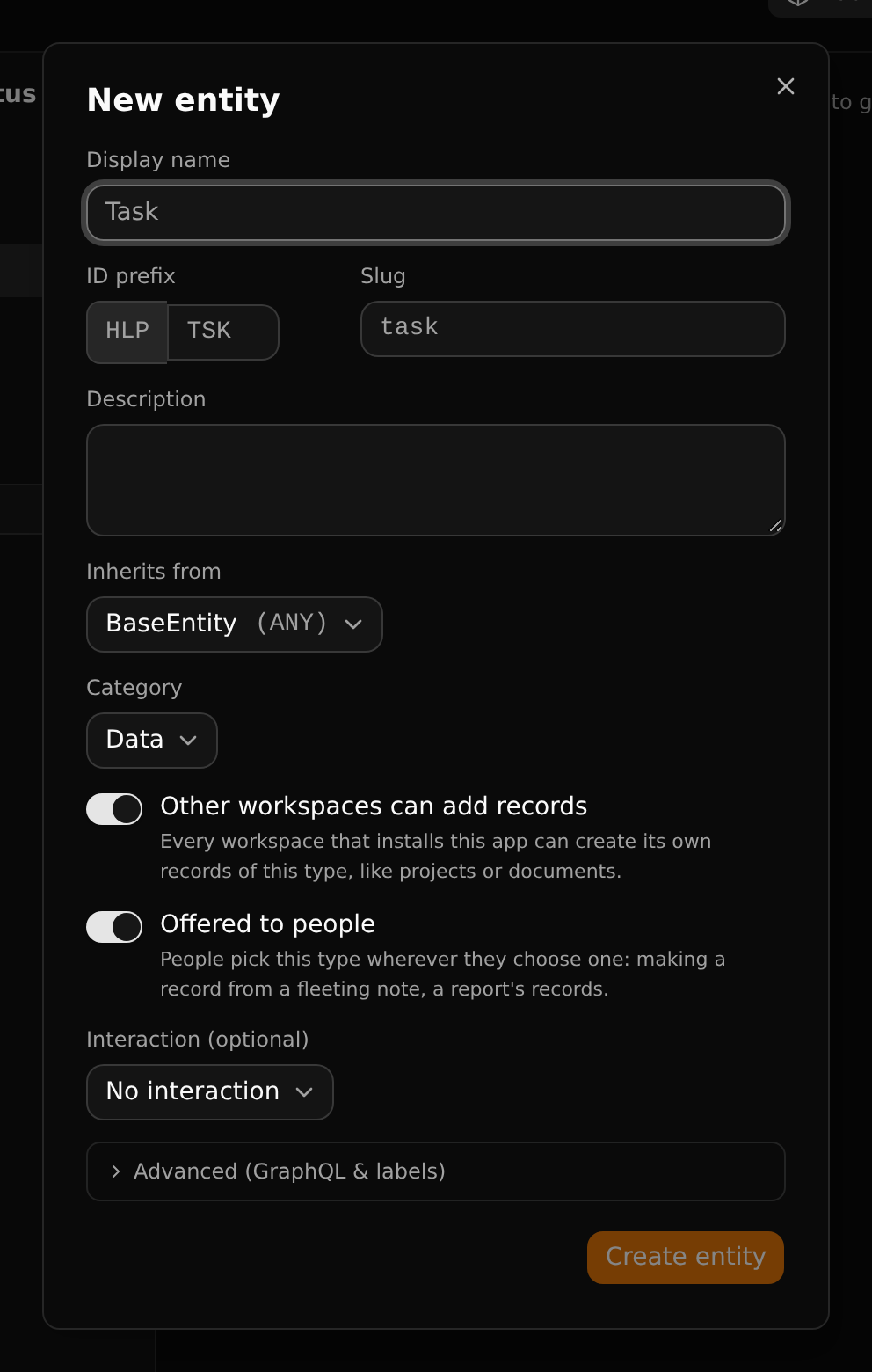
| Setting | Meaning |
|---|---|
| Display name | What one record is called ("Task") |
| ID prefix | Three characters, unique in the app. Record ids start with the app's prefix and this code. It cannot change after a release |
| Slug | The type's name in addresses (/acme/main/task/all) |
| Inherits from | The type it extends. The default, the base entity, gives it name, summary, description, labels, files and more |
| Category | Data: records each workspace makes for itself. App data: records the app ships to its installers |
| Other workspaces can add records | See below |
| Offered to people | See below |
| Interaction | What clicking a record does, usually "Navigate to detail view" |
Who may add records
A type is either one that people fill in wherever the app is installed (tickets, projects) or a list its owner maintains (the statuses a ticket can have). The switch Other workspaces can add records says which. With it off, installers see the records and choose from them but get no "+".
Offered to people
Where a person is asked to pick a type - what a fleeting note becomes, what a report counts - only the types switched to Offered to people are listed. Switch it on for what people make and look at themselves (tickets, customers) and off for the lists and parts behind them (ticket statuses). It is on for a new type. It decides nothing about who may add records: that is the switch above.
Tools for agents
Give agents tools for this type gives agents connected through the MCP server a create_… and a search_… tool made for this type, with its fields as parameters.
Show in sidebar
Adds an item for the type's list to the Apps group of every workspace that installs the app.
Fields
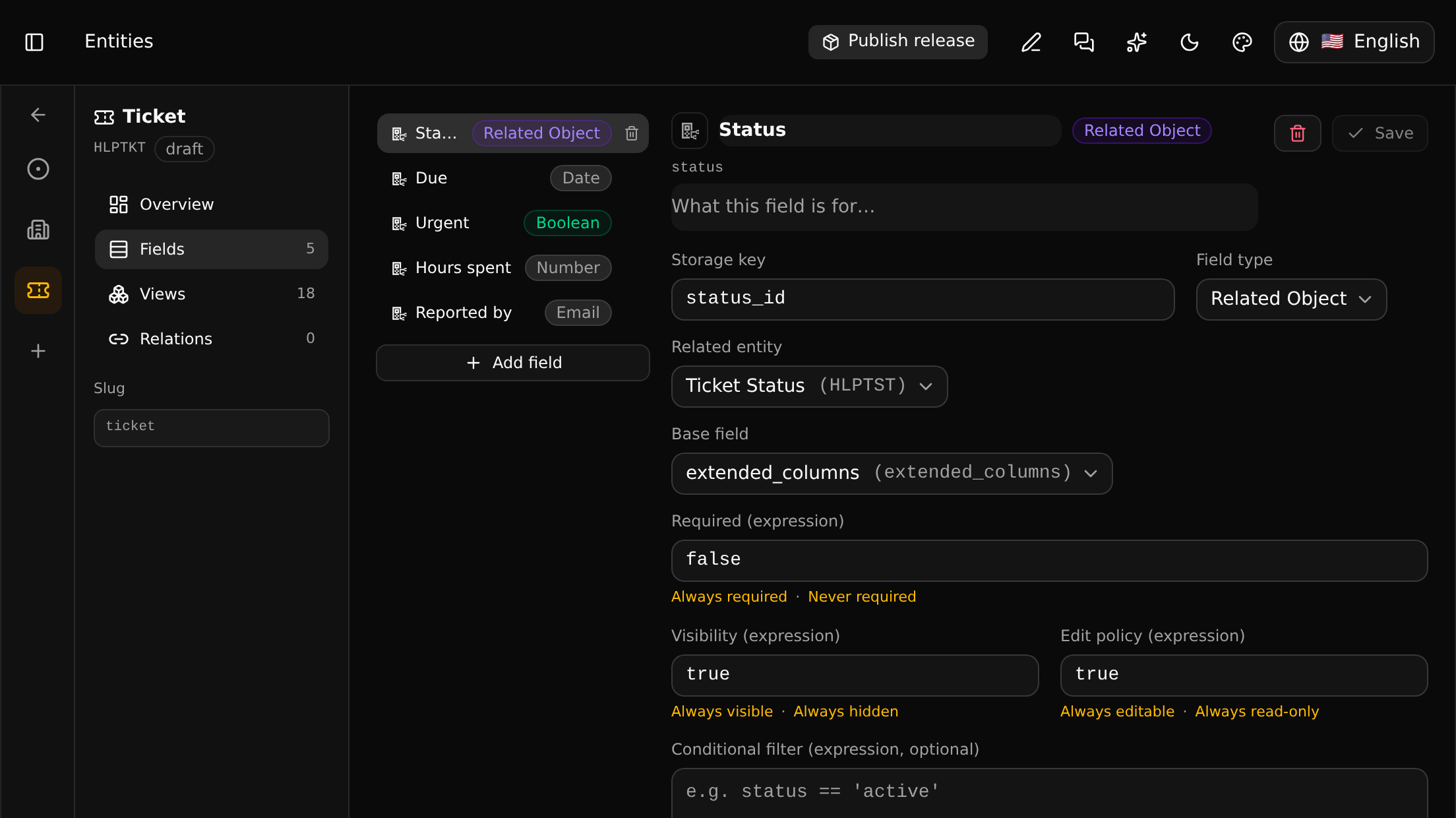
The list on the left has the type's own fields; inherited ones come from the parent type. A field has:
| Setting | Meaning |
|---|---|
| Name and description | What people see |
| Storage key | The name the value is stored and addressed under |
| Field type | Text, text area, number, percentage, yes/no, date, date and time, time, e-mail, URL, enum, or a related object (a select whose choices are records of another type) |
| Related entity | For a related object: the type whose records are the choices |
| Base field | Where the value is kept. The default, extended_columns, needs no thought |
| Required, Visibility, Edit policy | Expressions; the links under each fill in the common cases (always / never) |
| Default value, Derived value | A starting value, or an expression that computes the value |
| Translatable | Offers a text field for translation |
Add field asks for the name, the key and the type:
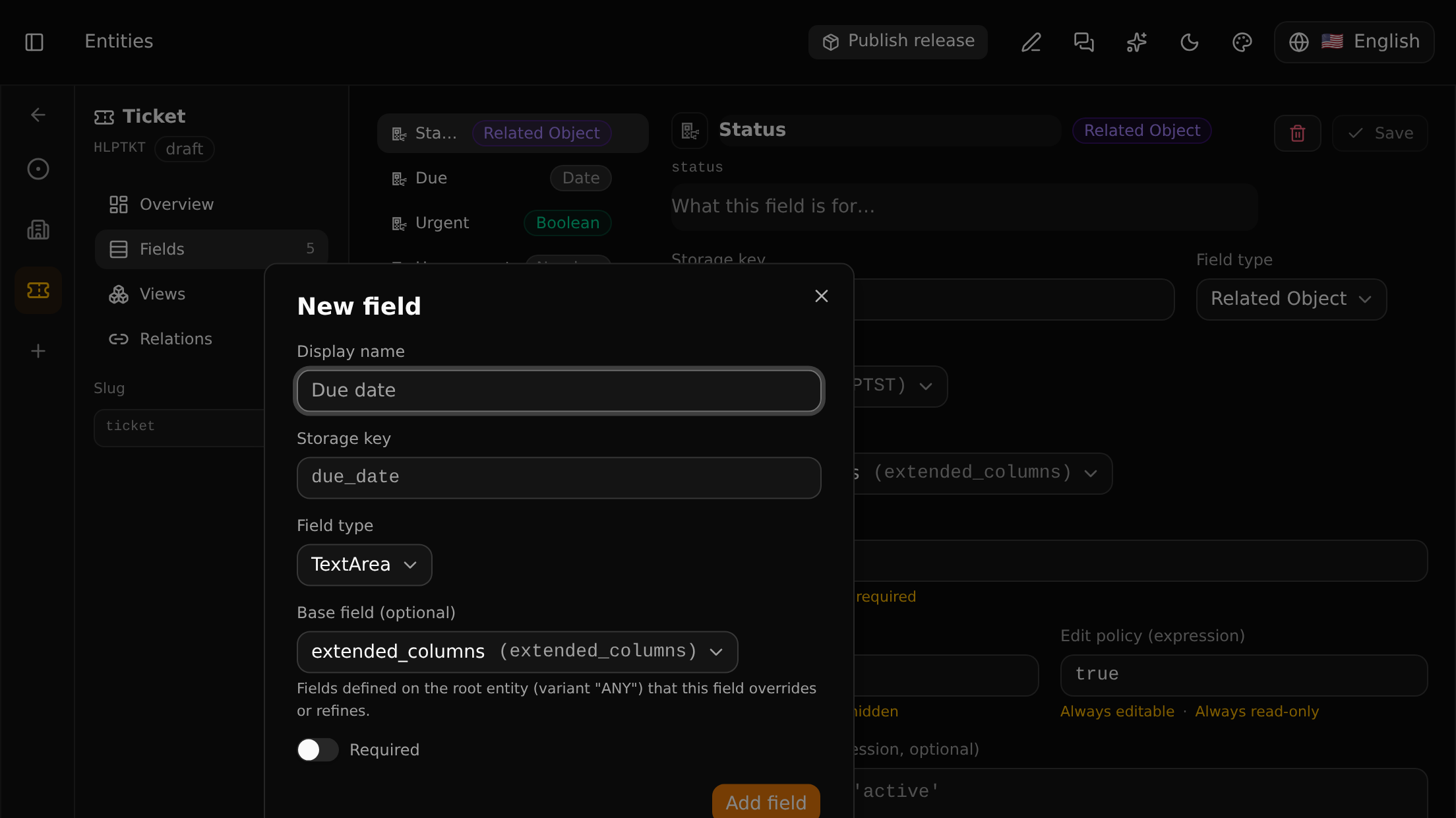
A new field is not shown anywhere until it is placed in a view.
Relations
A relation joins a type to another: a customer has tickets.
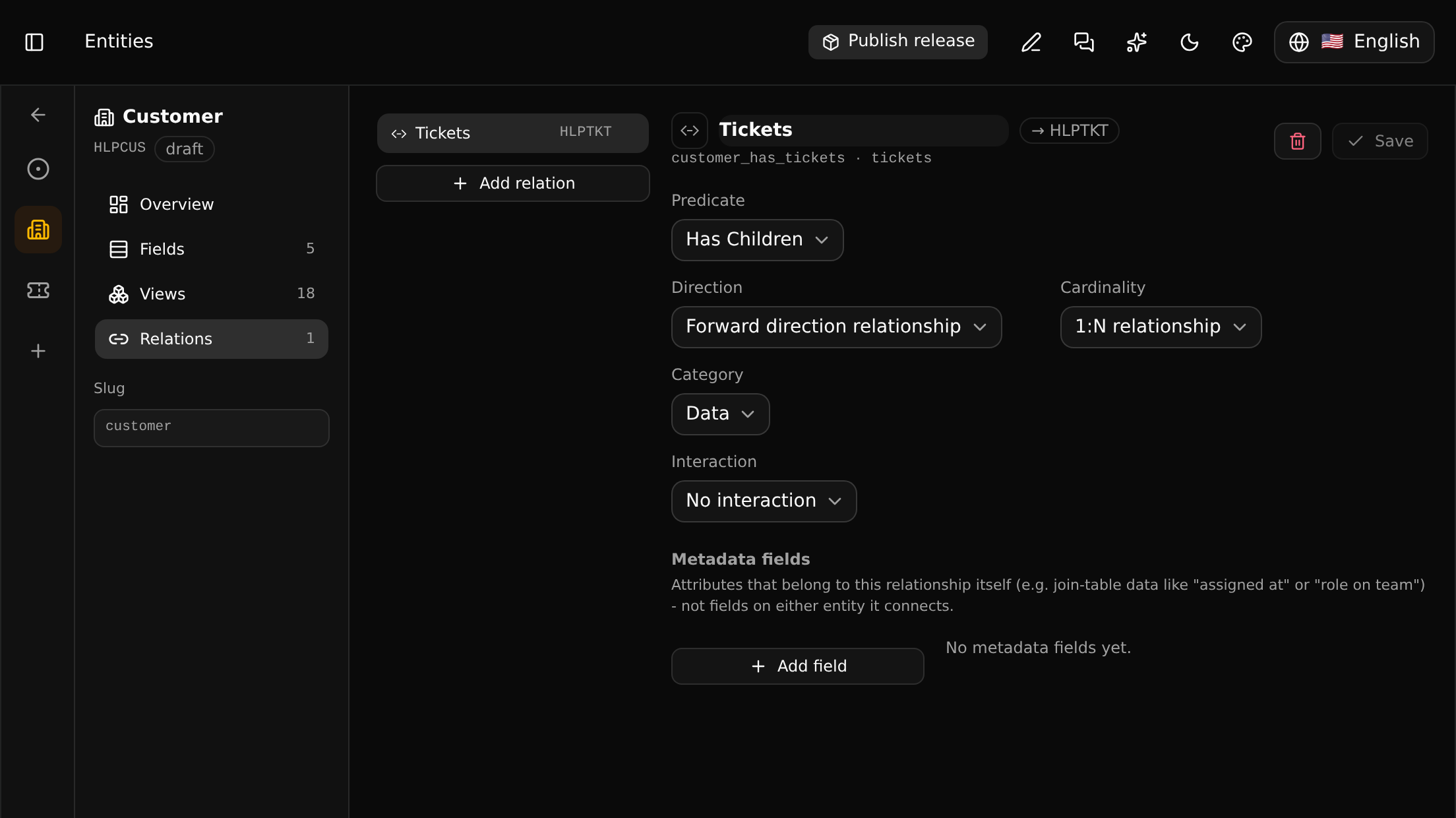
| Setting | Meaning |
|---|---|
| Predicate | What kind of relation it is ("has children") |
| Direction | Which end it is read from |
| Cardinality | 1:1, 1:N or N:M |
| Metadata fields | Values that belong to the link itself, like "role on the team" |
Like a field, a relation shows up once it is placed in a view, as a line on the record's page or as a tab. Without that it is still there: see the graph.
Saving
Each panel has its own Save. Changes are made on the branch you are on, so the usual applies: commit, and merge or release. On a branch you may not change, the builder can be looked through but not used.