
Coding sessions
A coding agent's sessions can be kept in a workspace: what you asked, what the agent answered and did, and a summary of what came of it. Later sessions look back through earlier ones instead of starting from nothing, and you can read any of them in the app.
It works with Claude Code, through a plugin that ships with CodeKasten (integrations/claude-code). Sessions are kept by the CodeKasten app, which a workspace installs from the Marketplace when it wants them: a workspace does not have it to begin with.
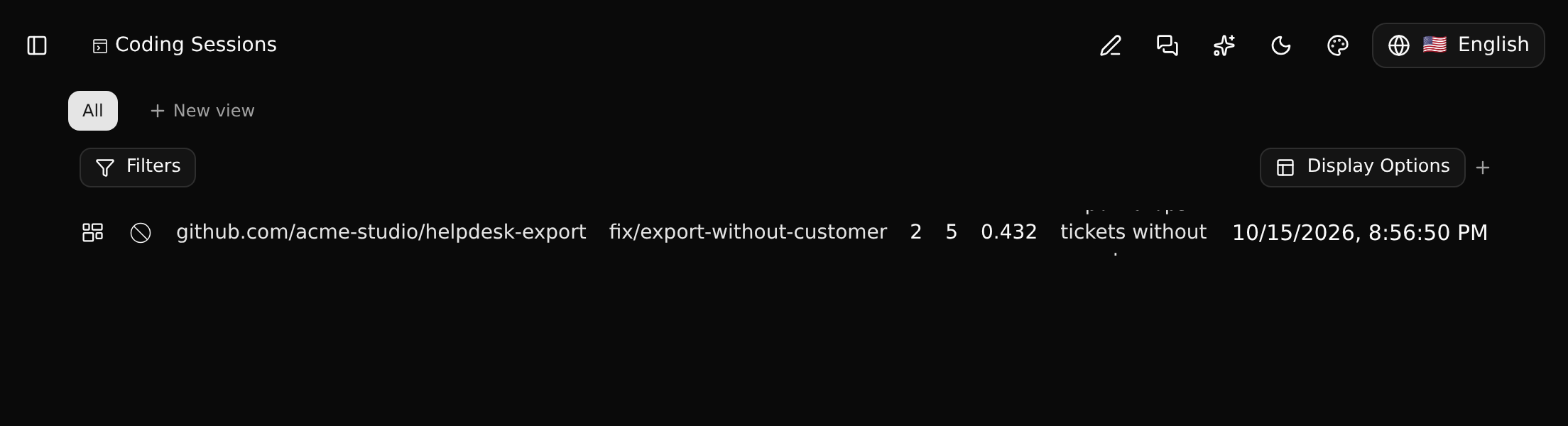
What is kept
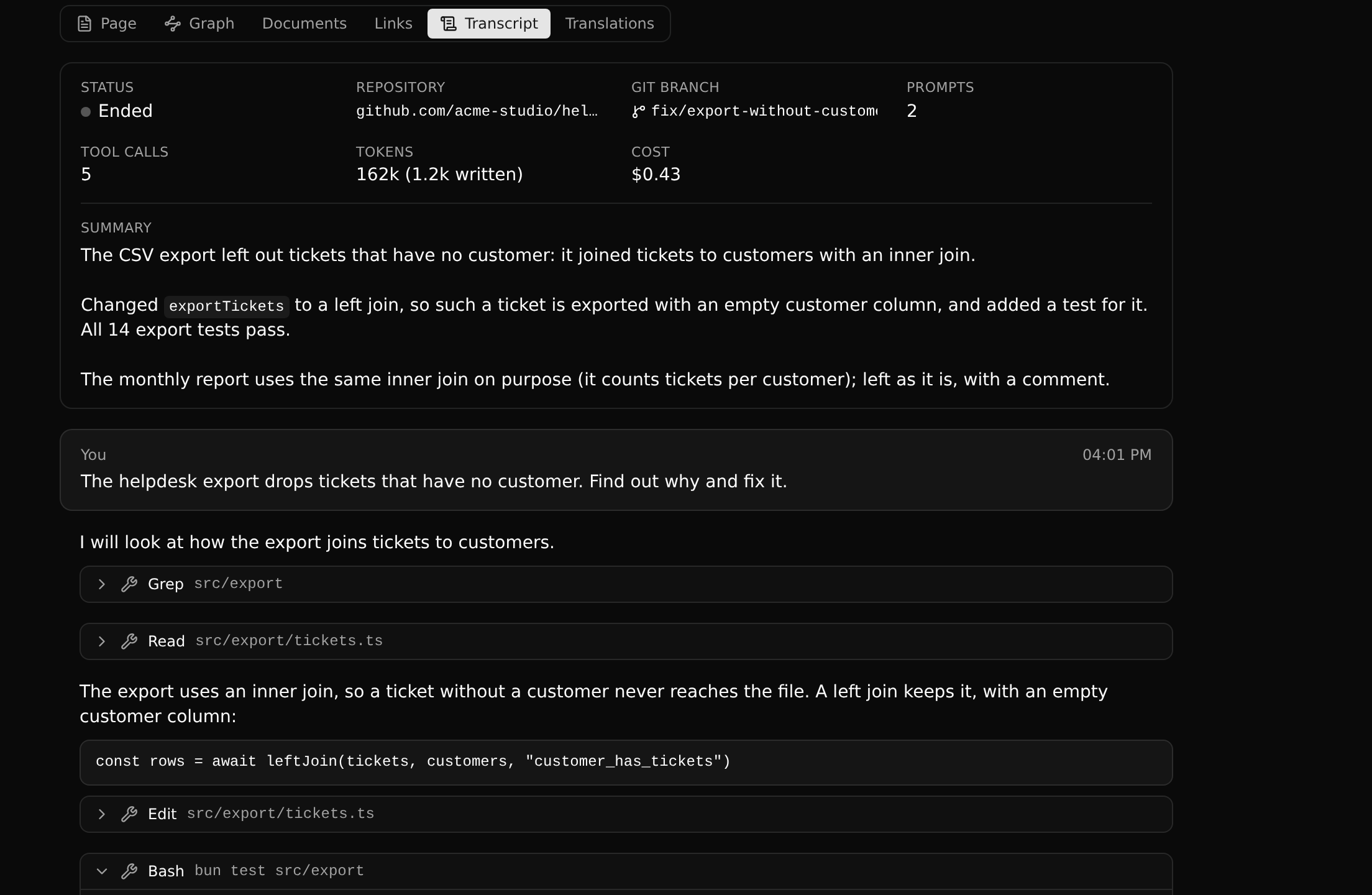
A session is a record of the type Coding Session, in the list of that name in the sidebar. It has a title (the agent's, until you rename it), a summary, the repository and git branch it ran in, when it started and ended, and its numbers: prompts, tool calls, tokens and cost.
The cost is partly an estimate. Claude Code writes down what a session has cost only when it starts, is resumed or ends. In between, the figure is carried forward from the last one by the tokens used since, at the rate that last figure came to. A session that has never been restarted goes by the rate of your last session with the same model, and shows no cost if there is none. The figure is exact again the next time Claude Code reports.
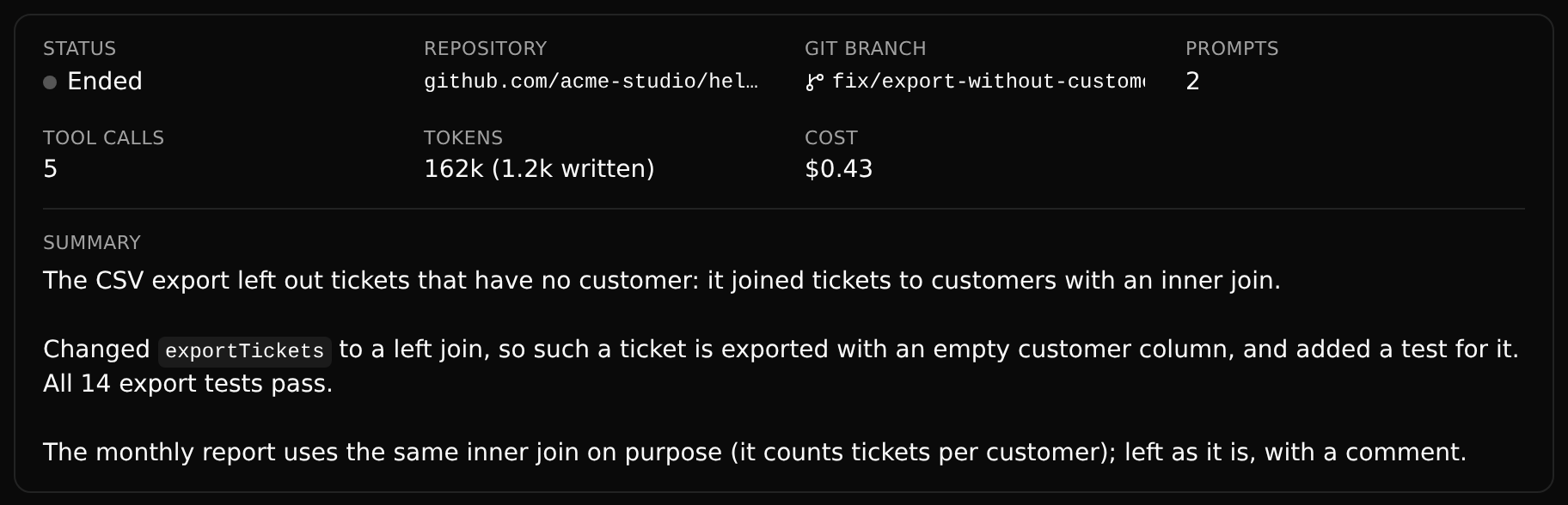
Its Transcript tab shows the conversation: your prompts, the agent's replies, and each tool call folded under one line that opens to show what was asked of the tool and what it gave back. A session that is still running is followed as it goes: its status says whether the agent is Working or Waiting for you, and each turn closes with how long the agent worked on it.
Three things are different from other records:
- A session is yours alone. Nobody else in the workspace sees it or its transcript, whatever their role.
- It is not versioned. It is there as soon as the session starts, on every branch that has the CodeKasten app, and is never committed, merged or released.
- You do not edit it. You can rename a session or delete it, with its transcript. Everything else is written from what the agent sends.
Setting it up
Install the CodeKasten app on the workspace's
mainbranch, from the Marketplace.mainis protected, so this takes an admin or owner of the workspace. Until it is installed, a new session is not kept: Claude Code says so when the session starts.On the workspace's
mainbranch, open Settings > Security, tick Workspace key, and make a key.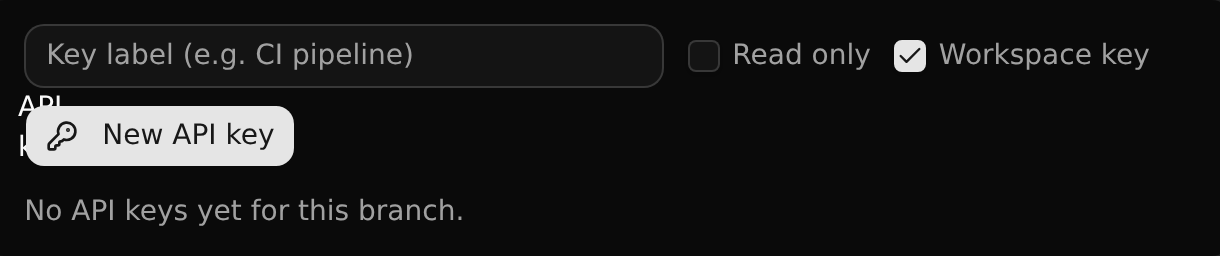
Store the key on your machine. It is read from standard input, so it ends up in no shell history:
bashcd your-repository node <codekasten>/integrations/claude-code/scripts/login.mjs acmeTell the repository where its sessions go, in a
.codekasten.jsonat its root. It holds no secret and can be committed:json{ "workspace": "acme", "url": "http://127.0.0.1:3009" }Install the plugin in Claude Code, once:
bashclaude plugin marketplace add <codekasten>/integrations claude plugin install codekasten@codekasten
A repository without a .codekasten.json is never sent anywhere.
Workspace keys
An ordinary API key belongs to one branch. A workspace key is good for any branch of its workspace that you may change. It starts on the branch it was made for. It takes a member of the workspace: a guest cannot make one.
With one, an agent gets a branch for each session: the first time it changes something in the workspace, a branch is opened from main for that session, and that change and the following ones are made there. The branch is yours (you are its owner), with the access of the one it came from. A session that only reads leaves no branch behind. As with every agent, nothing reaches a protected branch by itself: the agent commits and asks for a merge, and you merge.
What the agent can do with earlier sessions
The MCP server gives it three more tools:
| Tool | Does |
|---|---|
search_sessions | Finds lines in your earlier sessions by their words, or lists the sessions with their summaries |
get_session | A session's summary and numbers, and a stretch of its transcript |
set_session_summary | Writes down what the session did, for whoever picks the work up later |
A new session also starts with the titles and summaries of your last sessions for the same repository.
Writing to a running session
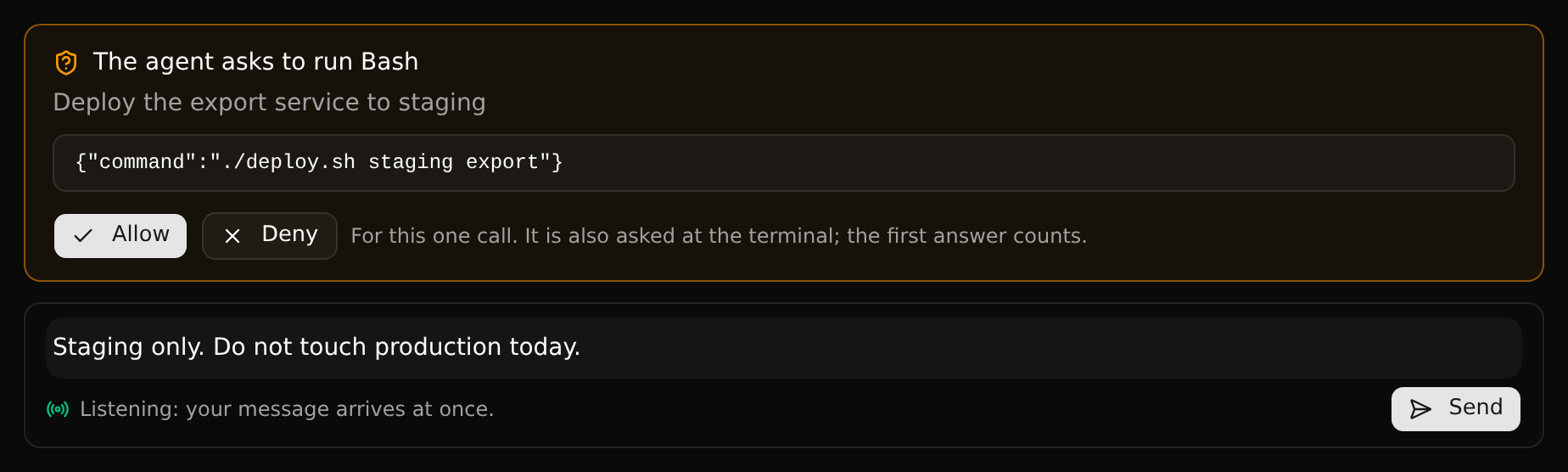
At the foot of a running session's transcript there is a box. What you write there reaches the agent as if you had typed it at the terminal, and its answer is the transcript going on. Only you can write to your sessions.
Whether a session can be written to depends on how it was started:
| Session | You can write | Your message arrives |
|---|---|---|
| Started with the channel | At any time, also while the agent is idle | At once; if the agent is busy, when its turn ends |
| Started without it | Only while the agent is at work on a reply | When that reply ends; the agent then carries on with it |
| Ended, or idle without the channel | No: the box is closed |
A message is never kept for a session that is not listening, so nothing arrives hours later into other work. While a message waits you can take it back.
Starting a session with the channel takes a flag, because channels are a research preview in Claude Code and one of your own is not on its approved list:
bash
claude --dangerously-load-development-channels plugin:codekasten@codekastenClaude Code asks you to confirm this at every start. Add --resume <id> to continue an existing session; the closed box shows the full command for the session on screen. The flag does not work in claude -p runs.
Approving tool calls
When the agent's program asks whether it may run a tool, a session started with the channel also asks you in the app: an item appears in your Inbox, and the request sits above the message box with the tool, what it would do, and Allow and Deny. The terminal asks at the same time, and the first answer counts. An answer is for that one call. What looks like a secret is taken out of the request before it leaves your machine.
What is sent, and what is taken out
After each prompt, around each tool call and after each reply, the plugin sends the new lines of Claude Code's transcript file: prompts, replies, tool calls and their results, and subagents' transcripts. Before a line leaves your machine:
- Secrets by their look are replaced with
[redacted]: keys of well-known services, private keys, tokens, passwords in addresses, and whatever is assigned to a name such asDB_PASSWORDorclient_secret. - Files that hold secrets, by their name (
.env,*.pem,id_rsa,credentials.*and the like, plus your ownredactFilespatterns): what a tool read from one or wrote to one is left out whole. - Long values are cut, and pictures are left out.
Redaction is a net with holes
A secret that looks like nothing in particular, printed from a file with an ordinary name, is stored. Sessions are private to you for that reason. Do not rely on redaction for anything you could not bear to have kept.
Resuming a session on another machine
bash
cd the-same-repository
node <codekasten>/integrations/claude-code/scripts/resume.mjs SYSCDS…
claude --resume <the id it prints>
The first command writes the session's transcript where Claude Code looks for the folder's sessions. What was redacted or cut stays so: the session resumes without those values.
Limits
- Claude Code only.
- Search is by words, not by meaning.
- After
/clear, the plugin goes on naming the session that was cleared until Claude Code reconnects; the server then takes your most recently active session in that workspace instead, which is normally the new one. - A message cannot interrupt the agent in the middle of a turn; it is delivered when the turn ends.
- Messages are text only.
- A request for approval that you answer at the terminal stays listed in the app until the agent's reply ends, or for 15 minutes.
- A session that was killed without ending stays "Running".
- Transcripts are kept until you delete the session.