
Reports
A report is a question asked of your records, drawn as a chart: how many tickets are in each status, how many hours were spent per month, which projects have no label. The Reports page shows the reports of the branch you are on, side by side.
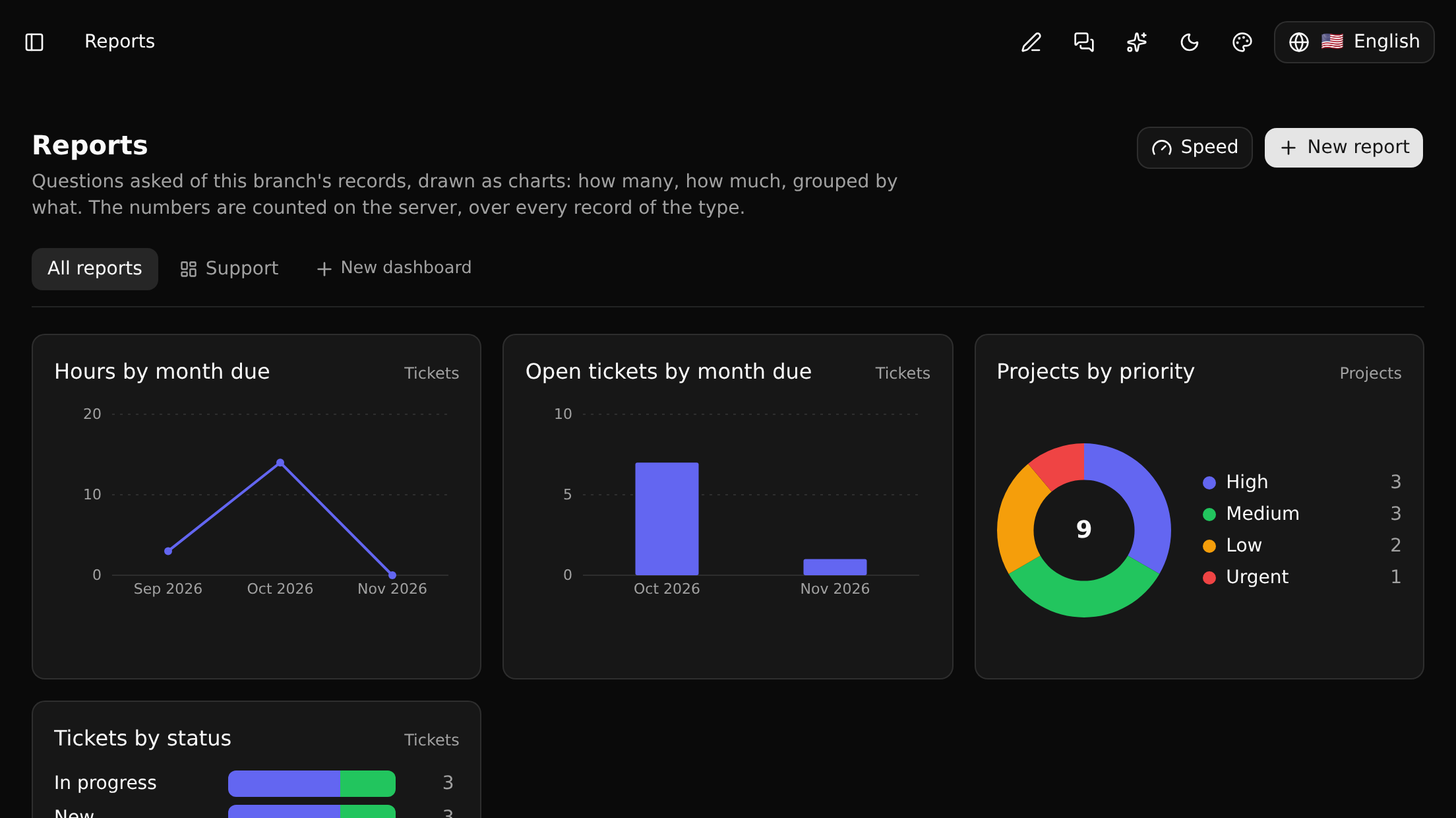
The numbers are counted on the server, over every record of the type, so a report is right for a type with far more records than a list shows.
Making a report
New report asks for a name and the type of record the report is about. Then, on the left of the report's page, you say what it asks; the answer is drawn on the right as you go.
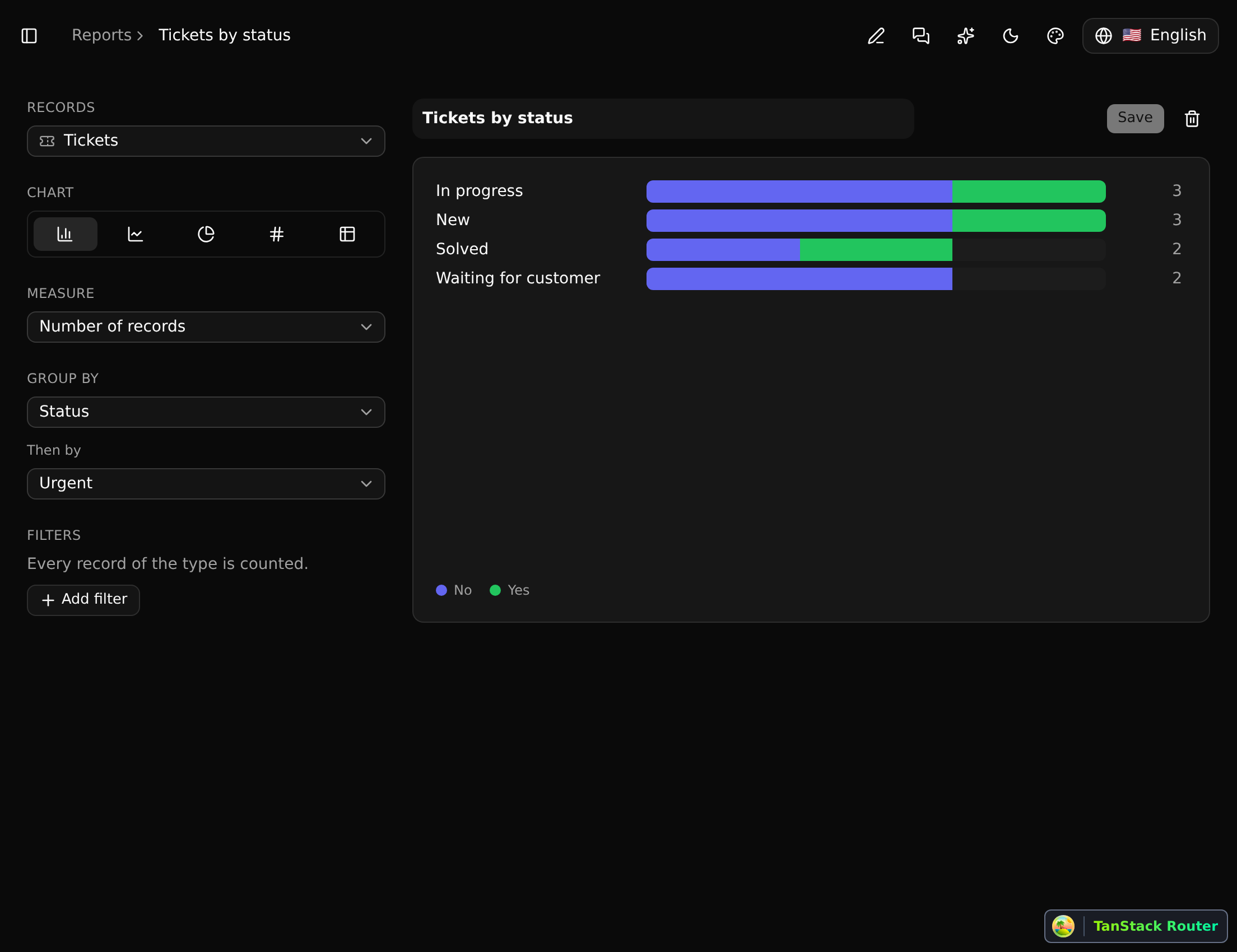
| Records | The type of record that is counted, of those the installed apps offer to people (Documents, Notes, Projects, an app's own). A report is about one type |
| Chart | Bars, a line, a pie, one number, or a table |
| Measure | Number of records, or of a field: its sum, average, smallest, largest, or how many different values it has |
| Group by | A field, or a relation: one bar, point or slice for each of its values. A date is grouped by day, week, month, quarter or year |
| Then by | A second field, which splits each group: stacked bars, or a line each |
| Filters | Which records are counted at all |
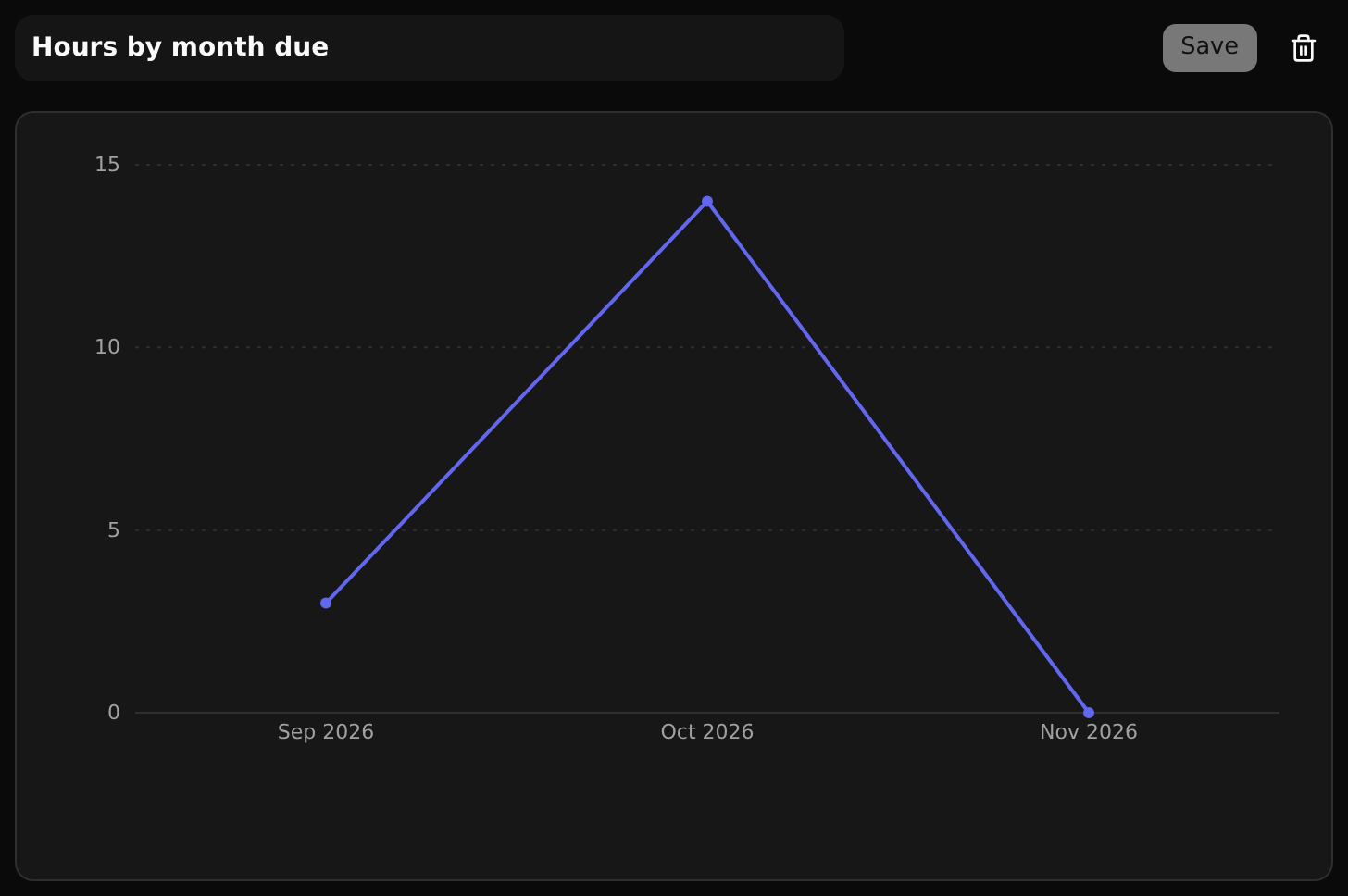
Bars lie down when they stand for things - a status, a person - and stand up when they stand for periods, which run from left to right. A line over time shows the periods nothing fell into as well.
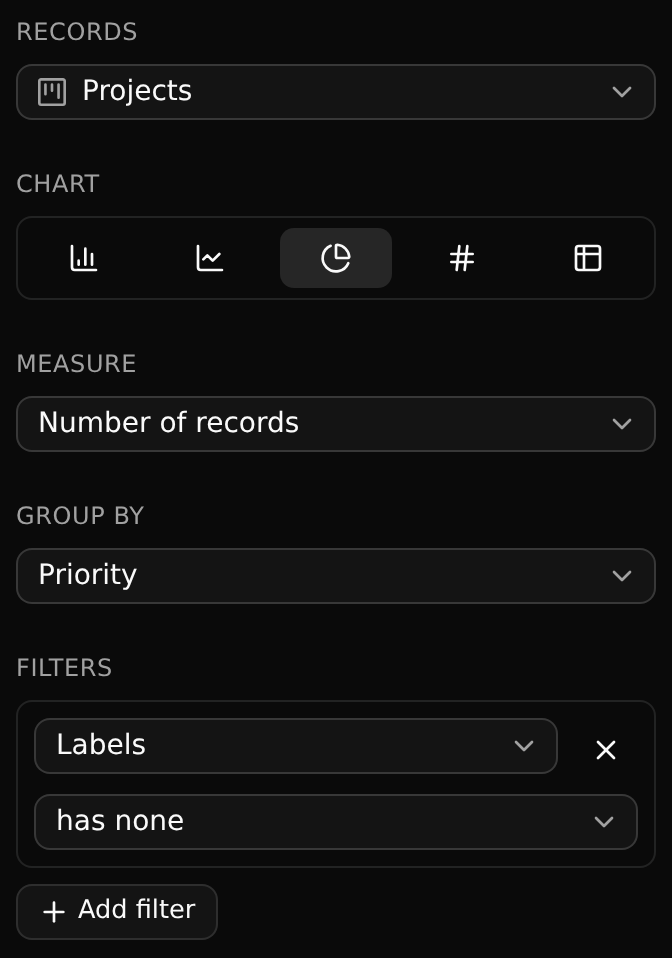
Grouping by a relation counts a record once for each thing it is related to: a project with two labels is in both labels' bars. The number over everything still counts it once.
Filters
A report counts the records that meet all of its filters. How a field is compared depends on what it holds:
| The field is | It can be compared as |
|---|---|
| A choice (a status, a priority) | is / is not one of the choices you tick |
| Text | contains, is, is not |
| A number | is, is not, more than, at least, less than, at most |
| A date | is at least / is at most a day: a date you pick, or one that moves with today - 30 days ago, the start of this month |
| Yes or no | is yes, or no |
| A relation | has something (or the ones you tick), has none |
Any field can also be asked whether it has a value at all.
Trying and saving
A change to a report is tried at once and saved only when you press Save: until then everybody else sees the report as it was, and Reset takes you back to it. Somebody who can only read the branch can try things on a report too; saving is not theirs.
Dashboards
A dashboard is a page of the branch's reports, chosen and arranged: the tabs at the top of the Reports page are All reports and one for each dashboard.
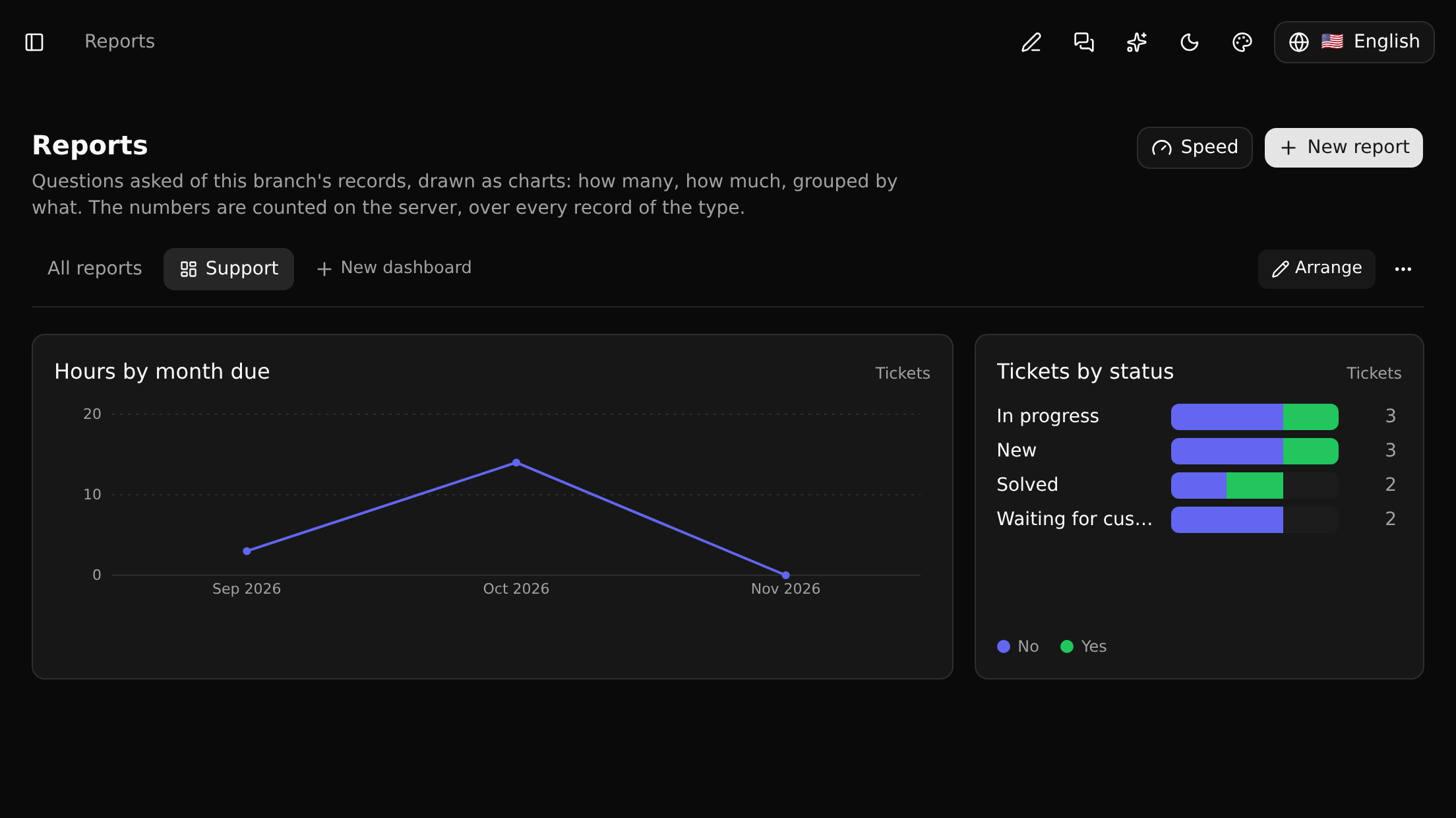
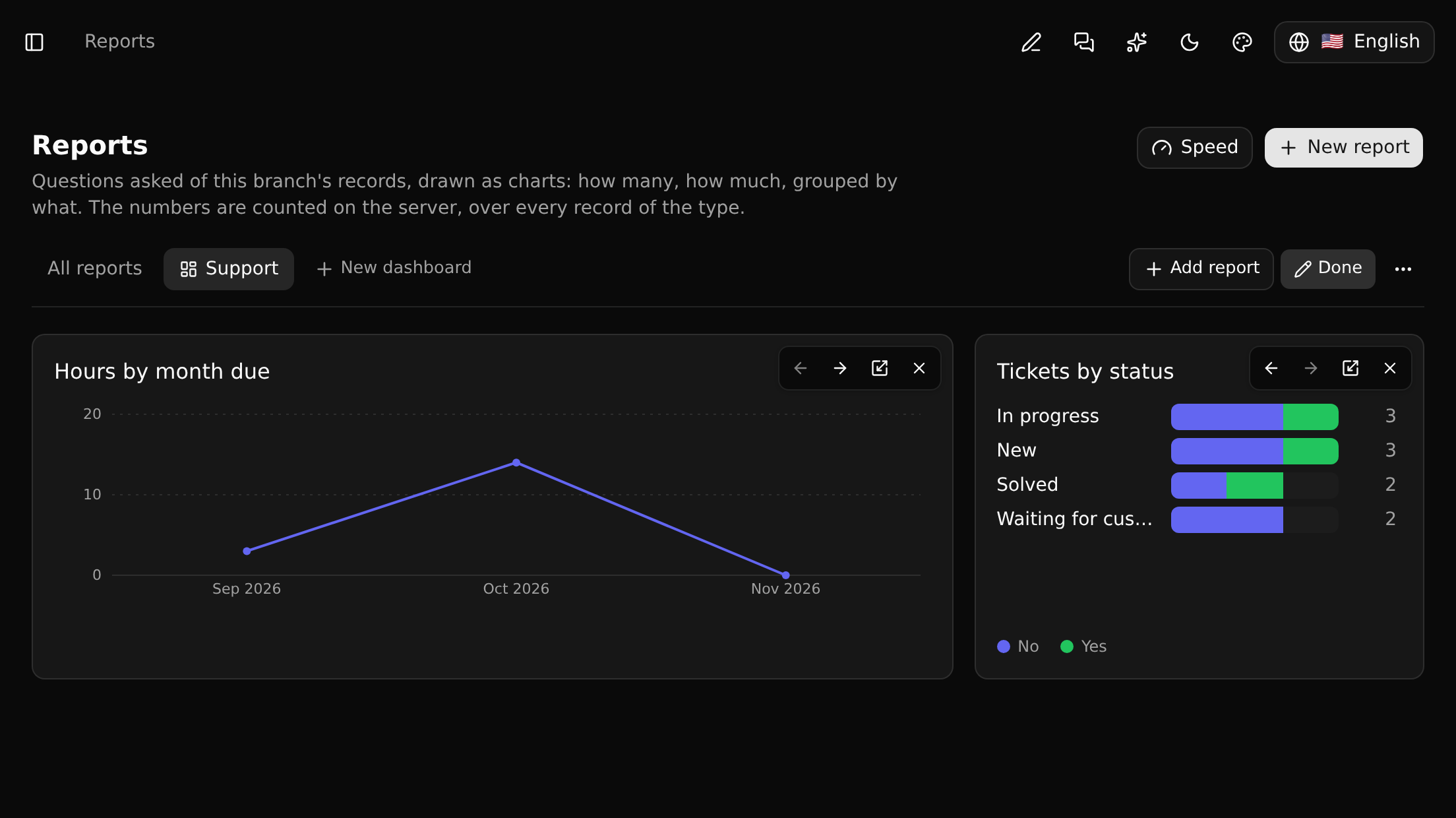
New dashboard makes one. While it is being arranged, Add report puts a report on it, and each tile has four controls: move it earlier or later, change its width (one, two or three columns), take it off. Every change is saved as it is made.
A dashboard holds no numbers of its own: a tile is a report, so changing the report changes it on every dashboard, and taking a tile off leaves the report where it was. A report made while a dashboard is open is put on it.
Reports follow the branch
A report, and a dashboard, is stored like a saved view or a board: it lives on a branch, is committed and merged with it, and counts that branch's records - the same report on two branches shows what differs between them. A report made in an app ships with it, and is read-only where the app is installed.
Whoever reads a branch sees its reports, viewers and guests included.
Speed
A report reads every record of its type on the branch, so its answer takes longer the more records there are: instant for thousands, well under a second for a few hundred thousand unless it counts distinct values or follows a relation. Two things keep large reports quick.
A slow answer is kept for a minute. When counting took more than a moment, the next person who opens the same report within a minute gets the numbers that were counted then, with a line under the chart saying when - and Count again to have them counted now. An answer that came quickly is never kept, so the reports of small types are exact every time.
A field can be indexed. For a workspace's admins and owners, Speed on the Reports page lists the fields that reports have filtered on, how often, and how long those questions took, each with a switch:
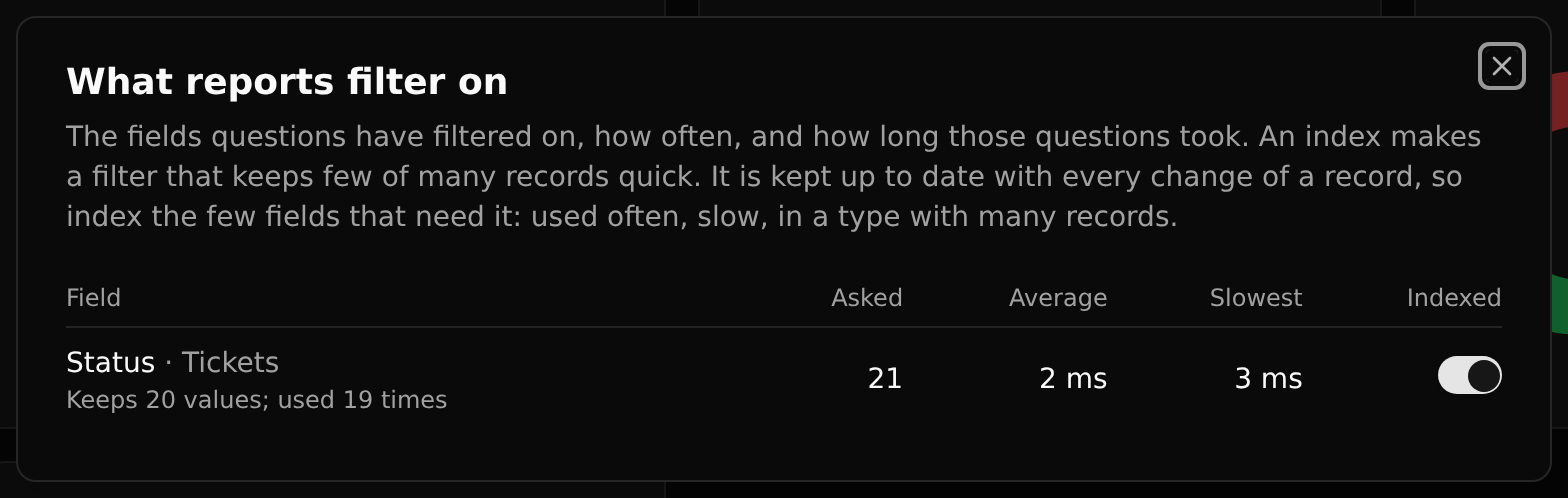
An index makes a filter that keeps few of many records quick - one customer's tickets among half a million, this week's among a year's - because only those records are read. It does nothing for a report without a filter, or for one whose filter keeps most records. Keeping it has a price: every change of a record of that type also updates the index, and making a branch copies it. So index the few fields that need it - asked often, slow, in a type with many records - and switch off the ones that stopped being asked. Yes-or-no fields cannot be indexed (two values narrow nothing), and "is not", "has no value" and "contains" are answered without it.
An index never changes a number: it only narrows which records are read, and each of those is still compared as before.
For developers
A report's question can be asked directly, at /api/query, with the question as JSON:
json
{
  "type": "ticket",
  "filter": { "and": [
    { "field": "urgent", "op": "eq", "value": true },
    { "field": "due", "op": "gte", "value": "-30d" }
  ] },
  "groupBy": [{ "field": "status" }],
  "measures": [{ "fn": "count" }, { "fn": "sum", "field": "hoursSpent" }]
}| Who asks | How |
|---|---|
| Somebody signed in | GET /api/query?workspace=…&branch=…&q=<the question> |
| An API key | GET /api/query?q=…, or POST /api/query with the question as the body, and Authorization: Bearer <key>. The key says which branch; a read-only key is enough. It counts as one of the plan's API calls |
Fields go by the names GraphQL uses; GET /api/query/fields?type=ticket lists them for a type. The answer has a row per group and the measures over everything; with labels=1 it also names the records the groups' ids stand for. A question that takes longer than eight seconds is refused.
A workflow runs a report with its Run Report step. The same question is in GraphQL as ticketAggregate, and among an agent's tools as query_records.
What is not there yet
Among others: several measures in one chart, and following more than one relation.