
API keys
An API key lets a program or an agent work in CodeKasten as you, on one branch.
Making a key
Open Settings > Security on the branch the key is for, give the key a label, and click New API key.
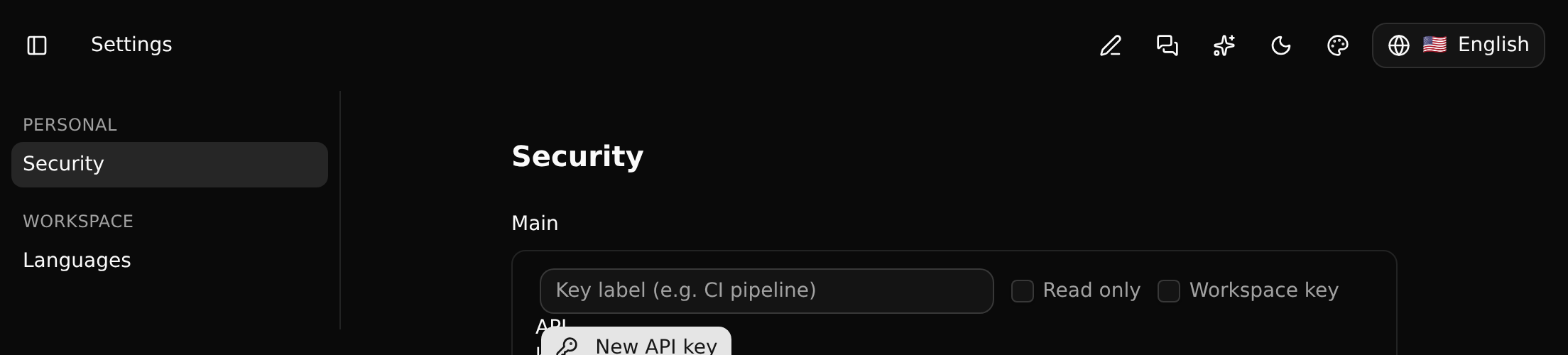
The key (sk_…) is shown once. Copy it then; afterwards only its label is listed. Revoke a key from the same page.
What a key can do
- It is you. Whatever it creates or changes is recorded under your name.
- It has your role, in the workspace and on its branch, read on every request. If you only read the branch, the key only reads. If the branch is no longer given to you (by name or through a group), or you leave the workspace, it stops working.
- It is for one branch. A key made on
planningreads and writesplanning. A workspace key is the exception: it is good for any branch you may change, which is what an agent that keeps its coding sessions uses. A guest cannot make one: their keys are for a branch shared with them. - Read only keys can look and nothing else. A key made by somebody who only reads the branch is always read only.
- It never writes to a protected branch, whatever your role. Make keys for work on a branch that is not protected, and merge from there.
Plans
How many keys a workspace may have, whether it may have workspace keys, and how many calls it may make a month depend on its plan. A call past the month's limit is answered 402 with the limit in words.
Using it
Send the key as a bearer token:
Authorization: Bearer sk_…It works with the GraphQL endpoint and the MCP server.
Keep it out of the browser
A key is a secret. Do not put it in a web page or a mobile app: keep it on a server that talks to CodeKasten for your page. The example shows the pattern.