
Where records sync from
A browser keeps the records of the branch on screen up to date by syncing them: it loads them once and is then told about every change. On a CodeKasten server this comes from Electric, which runs on the same machine as the database.
A workspace can also be synced from the edge: Cloudflare's network, close to the people using it. Its browsers then load and follow its records from there, and the server only takes what they change. This is how a busy server sheds load: a workspace on the edge costs the server almost nothing to keep up to date.
Nothing changes for the people in the workspace. They see the same records, and what they change is saved the same way.
For the platform's administrators
Only a superuser (a member of the System workspace) decides where a workspace syncs from. The page is in the System workspace, under Sync in the sidebar.
The three ways a workspace can be
| Its browsers sync from | Kept up to date on the edge | |
|---|---|---|
| Electric (no line on the page) | the server | no |
| Warm | the server | yes, ready to move at once |
| Edge | the edge | yes |
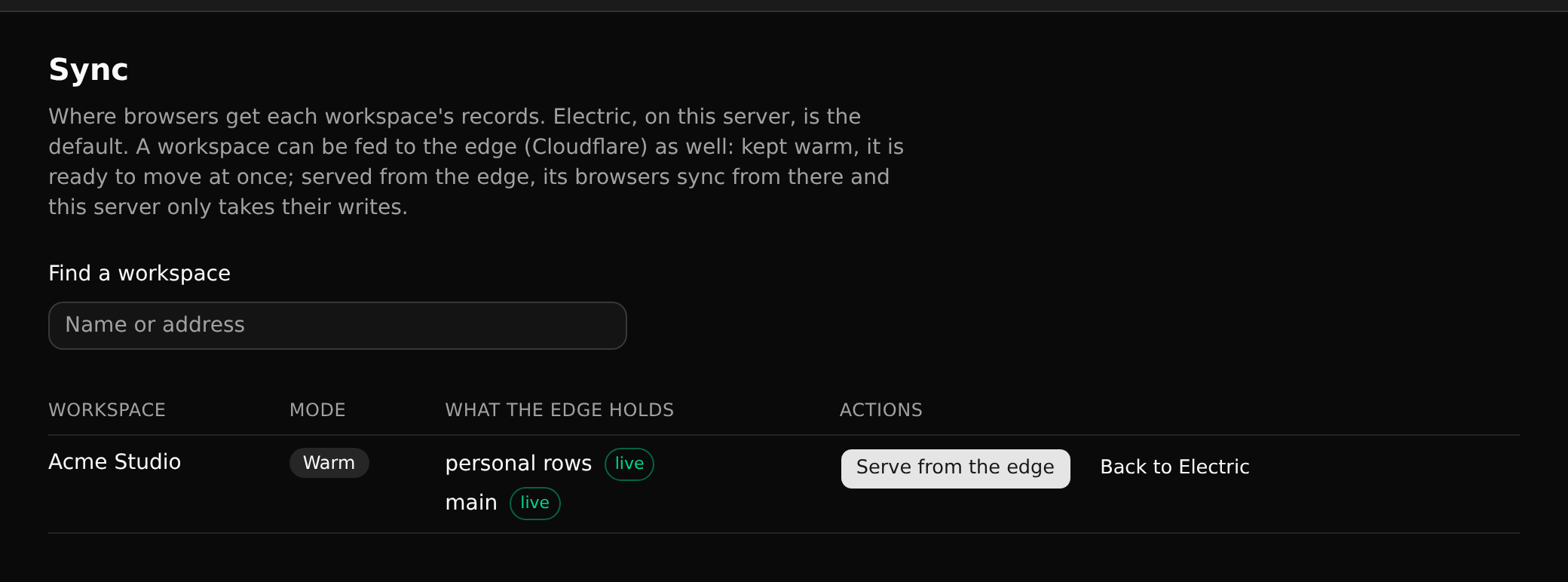
Find a workspace by its name and choose Keep warm or Serve from the edge. Back to Electric takes it off the edge again: open pages move back to the server by themselves.
What the edge holds
The edge holds a workspace one branch at a time: a branch is copied there the first time someone opens it, and kept up to date after. Until it is copied, that branch is synced from the server as before. The page lists each branch the edge holds, with how it stands:
- asked for: someone opened it; it is copied next.
- building: being copied.
- live: up to date.
- failing: the edge could not be reached for five minutes. It is copied again when it can be, and meanwhile the branch syncs from the server.
Each person's own items (their Inbox, fleeting notes and coding sessions) are held apart as personal rows, and only ever sent to that person.
When the server is overloaded
The server watches how long syncing takes and how busy the machine is. When it stays overloaded for five minutes, the server moves warm workspaces to the edge itself: the busiest first, three at a time, ten an hour at most. When it has been quiet for half an hour, it moves them back one an hour. Each move is told to the superusers in their Inbox.
Only warm workspaces are moved this way, so a workspace is never moved anywhere a superuser has not allowed. A server's operator turns this off with CK_EDGE_AUTO=off.
What is not on the edge
- Changes: what people change always goes to the server, which saves it, then tells the edge.
- Chat messages: they sync from the server.
- Settings and connector credentials: they never leave the server.