Commands and shortcuts
Most things can be done from the keyboard. The model is the one Linear uses: a palette of commands, and shortcuts that are keys pressed one after the other.
The command palette
Ctrl+K (⌘+K) opens it.
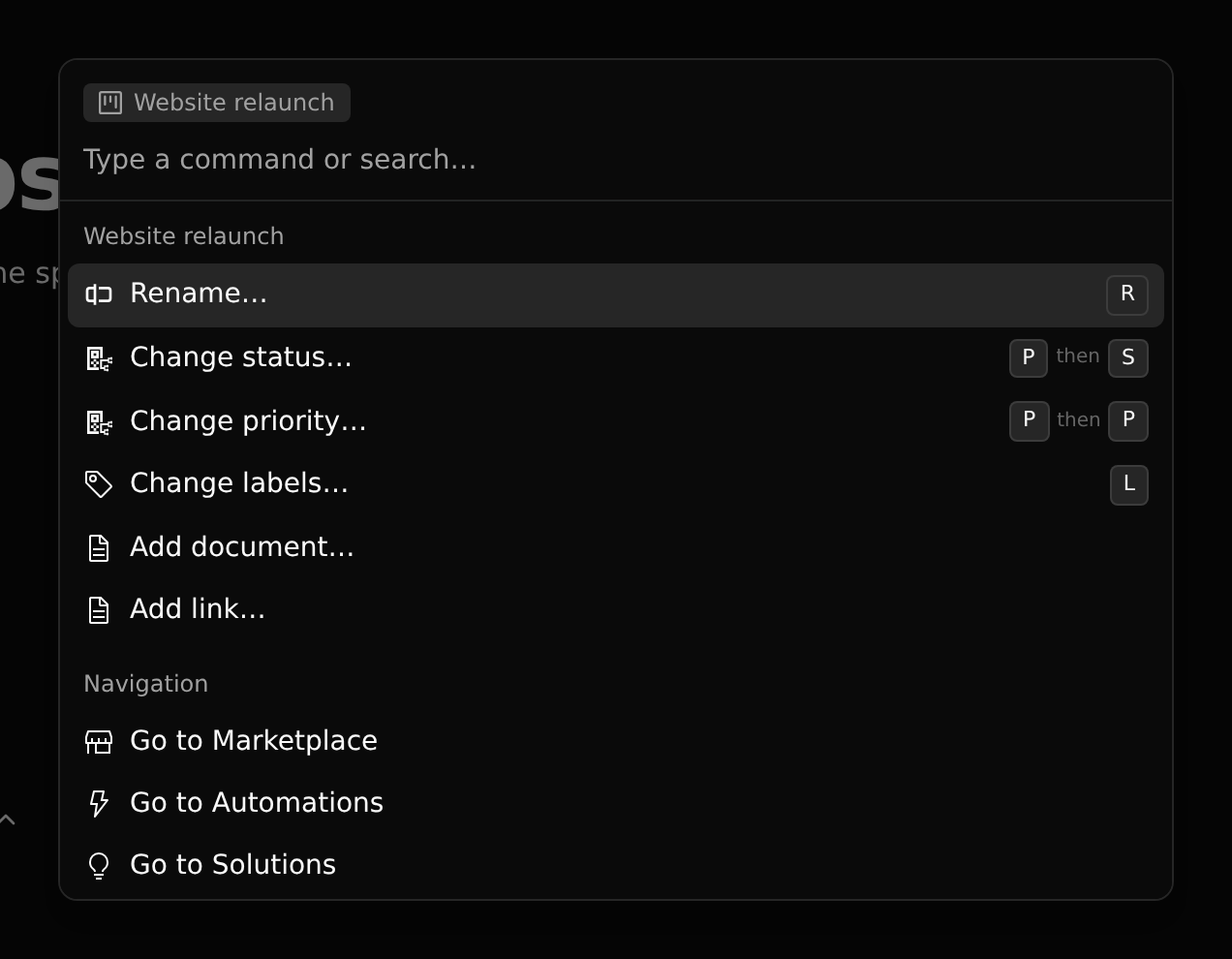
The palette acts on the record of the page, or, in a list, on the row under the pointer. Its name is shown at the top. Below it:
- The record's commands: rename, change a field, add or link a related record.
- Navigation: go to any page of the workspace.
- Version control: commit, new branch, merge, switch branch, share and access, history.
- Typing searches commands, and records by name.
A command that changes a field opens its choices in the palette. A command for a many-to-many relation, like labels, opens a list that stays open so you can tick several.
Shortcuts
A shortcut is one key, or keys pressed one after the other: P then S changes the status of a project. It opens the palette on that command.
Press ? to see the shortcuts of the page you are on.
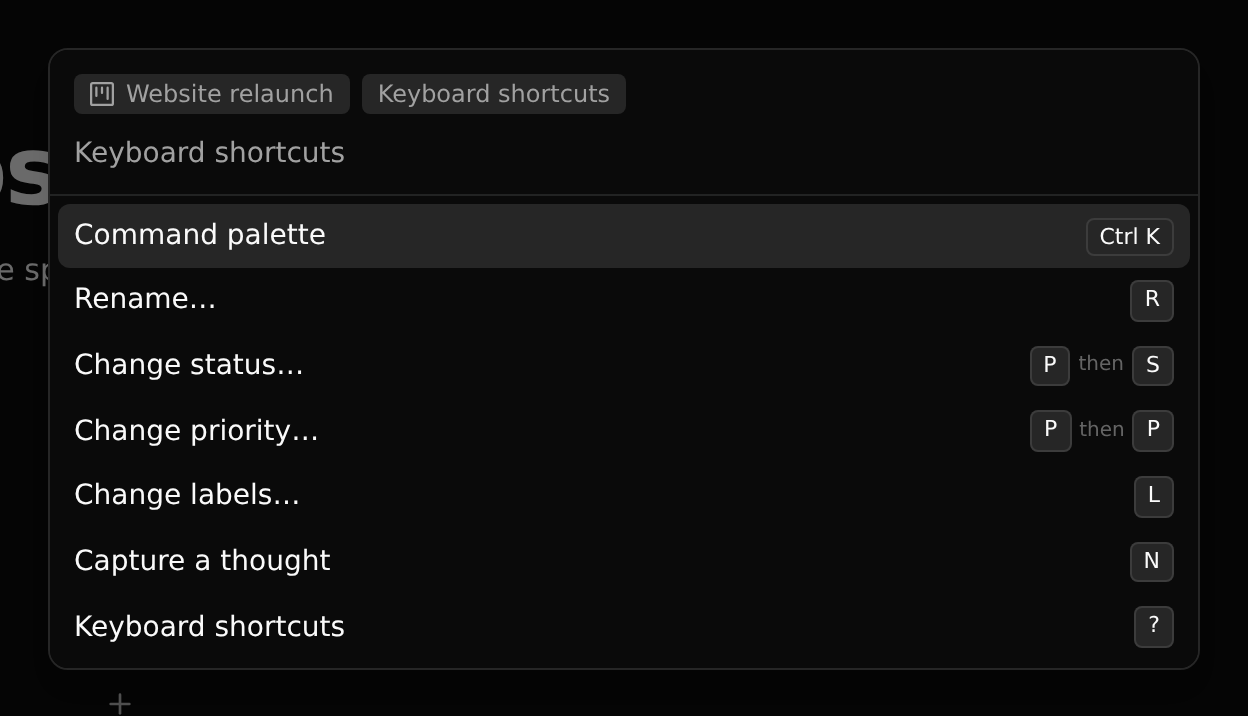
| Shortcut | Does |
|---|---|
| Ctrl+K | Command palette |
| Ctrl+J | The assistant |
| ? | Keyboard shortcuts |
| R | Rename the record |
| others | Whatever the record type defines |
Where commands come from
A record's commands are not fixed. They are the fields its type places in its Action Menu view, each with a command name and an optional shortcut. So an app decides which of its fields are commands, and you can change that in the Entity Builder.
Right-click
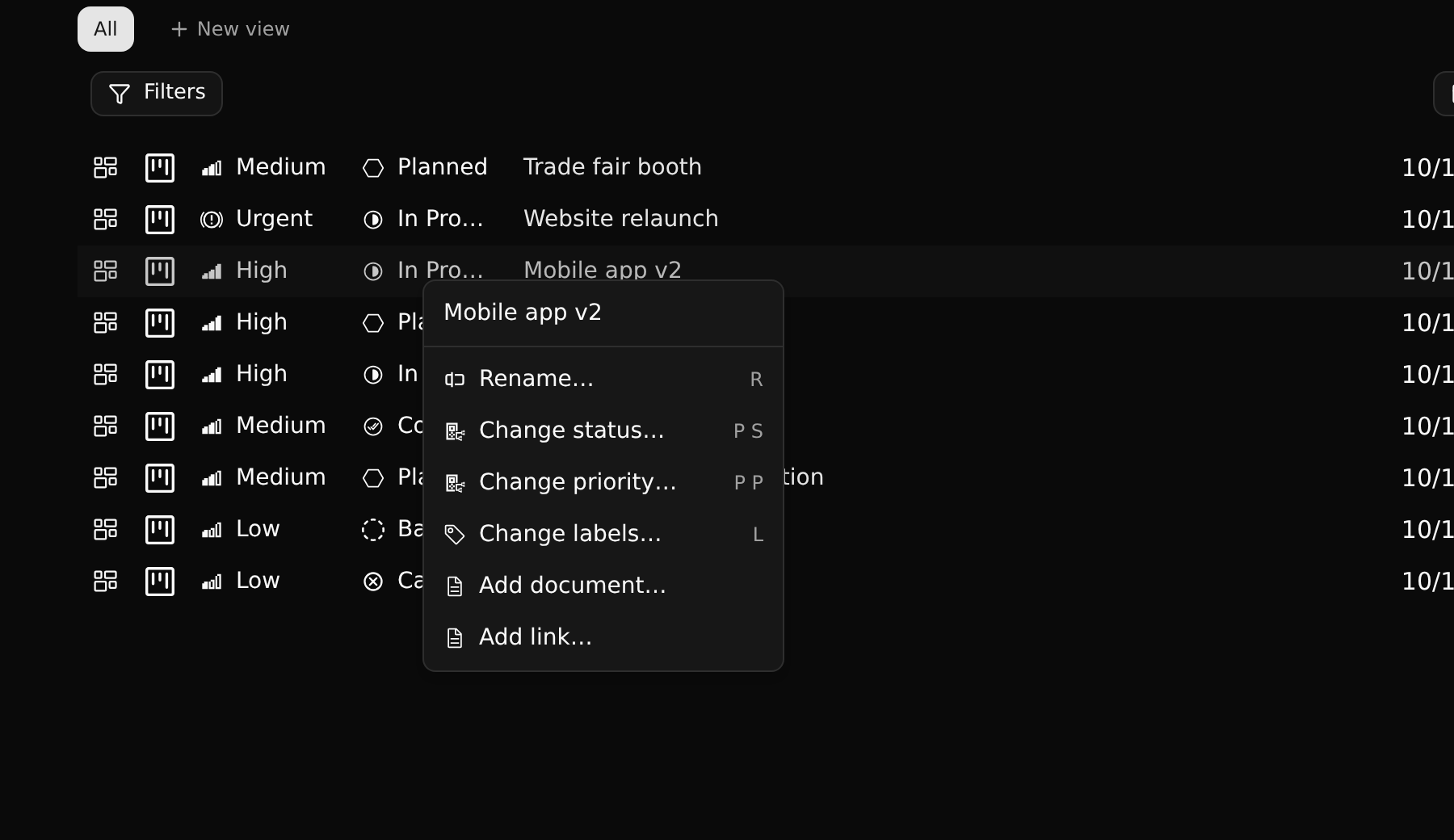
The menu on a list row shows the same commands.