
Branches
A workspace keeps its records the way a code repository keeps files. There is a main branch, and you can make others to try something without touching it.
A branch holds everything: records, record types, views, workflows, boards, settings. So "try something" can mean reorganising the projects, or redesigning the Project type itself.
The branch menu
Click the branch name in the sidebar. The menu lists the branches; each has a submenu with what can be done on it.
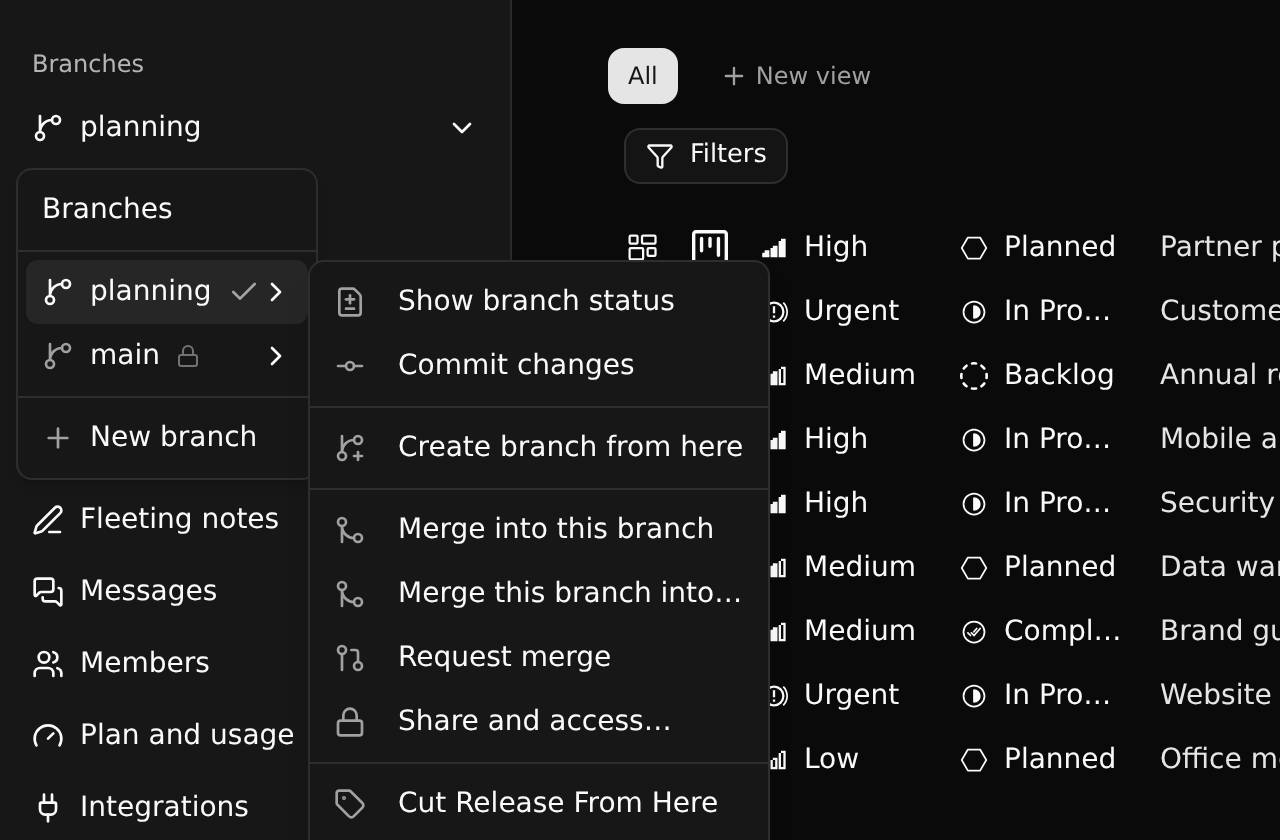
| Item | Does |
|---|---|
| Commit changes | Records the branch's changes as a commit |
| Create branch from here | A new branch that starts as a copy of this one |
| Merge into this branch | Brings another branch's changes here |
| Merge this branch into… | Sends this branch's changes to another |
| Request merge | Asks the people who may merge (see Merging) |
| Share and access… | Who is on it, and what each group of the workspace gets on it |
| Cut Release From Here | Publishes the branch as a release (see Releases) |
| View Commit History | Opens the history |
The menu only offers what you may do on that branch: somebody who only reads it sees no commit, a member sees no "merge into" on a protected branch. And it lists only the branches you read: a branch the access grid gives none of your groups, and that you are not named on, is not there.
Share and access… is where a branch is shared with somebody, inside the workspace or from outside it.
A new branch
New branch asks for a name and makes the address from it.
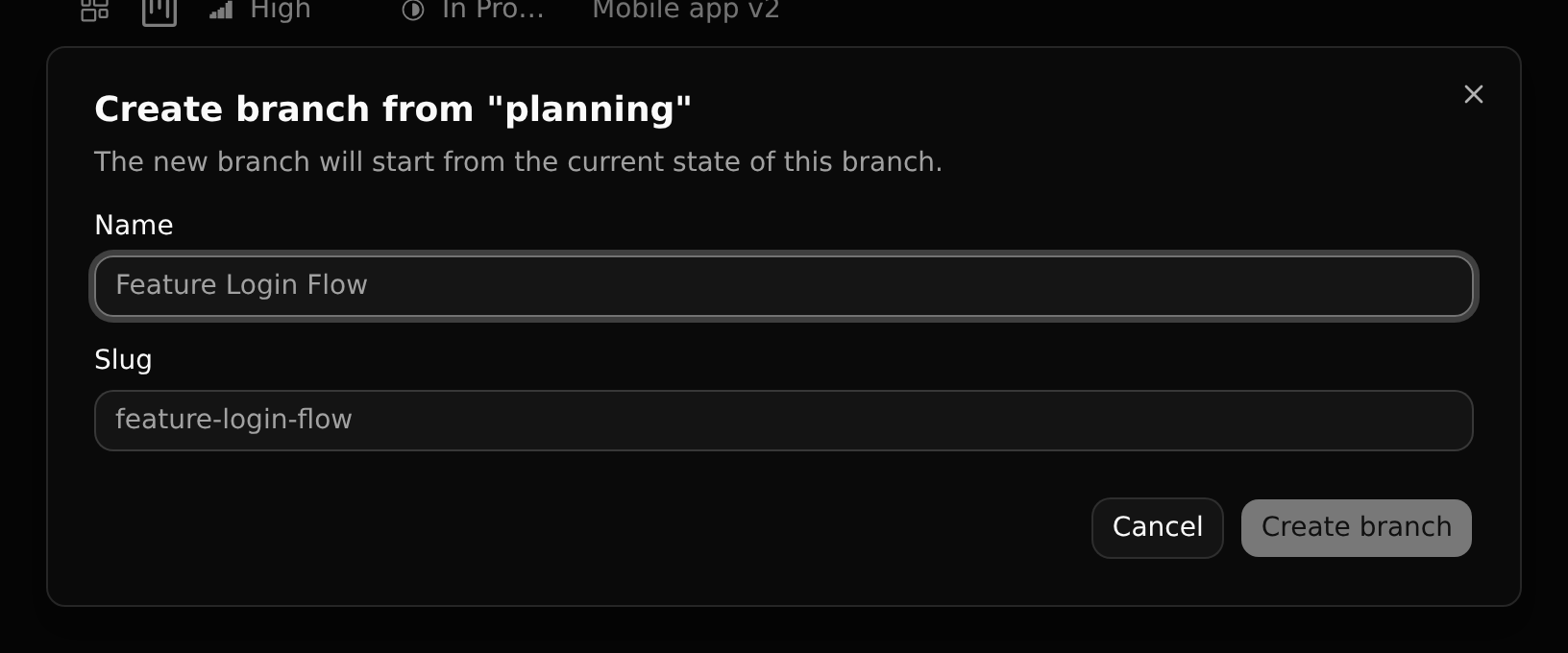
The new branch starts from the current state of the branch you made it from, and you are its owner. It starts with the access of the branch it was made from. Switching branches changes the address of the page (/acme/planning/…); you stay on the same page where it exists on both.
From the keyboard
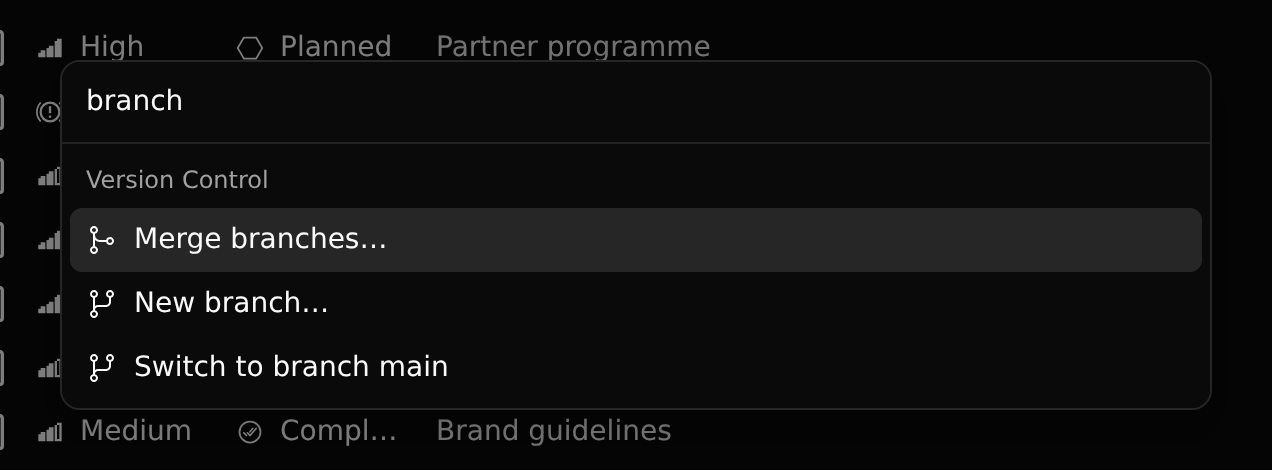
All of this is in the command palette too (Ctrl+K, type "branch"), and the assistant understands commit, new branch, merge and switch to ….
Who made a branch
Whoever makes a branch is its owner, and sets its access themselves, unless the branch is protected.