
Members and roles
Members in the sidebar has three tabs: People, with their roles, their groups and the invitations that are open; Groups; and Branch access, the grid of what each group gets on each branch.
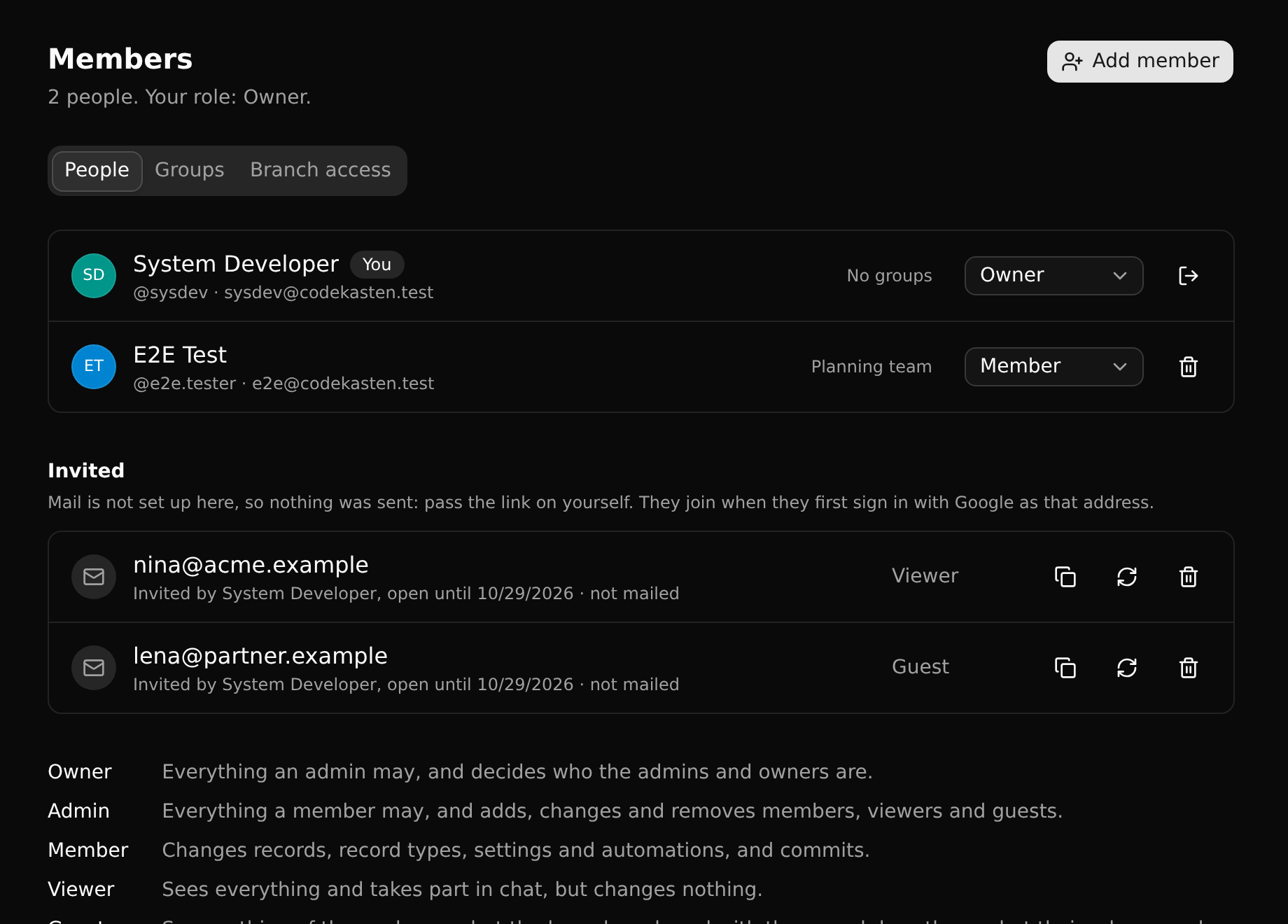
Roles
What somebody may do in a workspace is their role.
| Guest | Viewer | Member | Admin | Owner | |
|---|---|---|---|---|---|
| Read the branches shared with them | ✓ | ✓ | ✓ | ✓ | ✓ |
| Read the branches the access grid gives viewers (to begin with: all), take part in open conversations | ✓ | ✓ | ✓ | ✓ | |
| Change records, record types, settings and workflows; make branches and commit; install packages | ✓ | ✓ | ✓ | ||
| The same on a protected branch; merge into one; protect a branch; read and manage every branch; manage groups | ✓ | ✓ | |||
| Add, change and remove guests, viewers and members | ✓ | ✓ | |||
| Appoint and remove admins and owners | ✓ |
A few things to know:
- A role on a branch can add to this. Each branch has roles of its own: a guest or a viewer who is made an editor of a branch changes that branch.
- Which branches viewers and members get is the workspace's access grid. To begin with, viewers read every branch and members edit every branch that is not protected.
- A group can raise a role. Somebody's role is the higher of their own and the roles of the groups they are in. Where it is higher, their row says so ("Member through a group").
- A viewer can still chat, read and clear their own Inbox, edit their profile, switch branch, make read-only API keys and leave.
- A workspace always has an owner. The last owner cannot be removed or demoted.
- Whoever creates a workspace is its owner.
Groups
A group is people under a name - Contractors, QA, Planning team - for giving them access together.
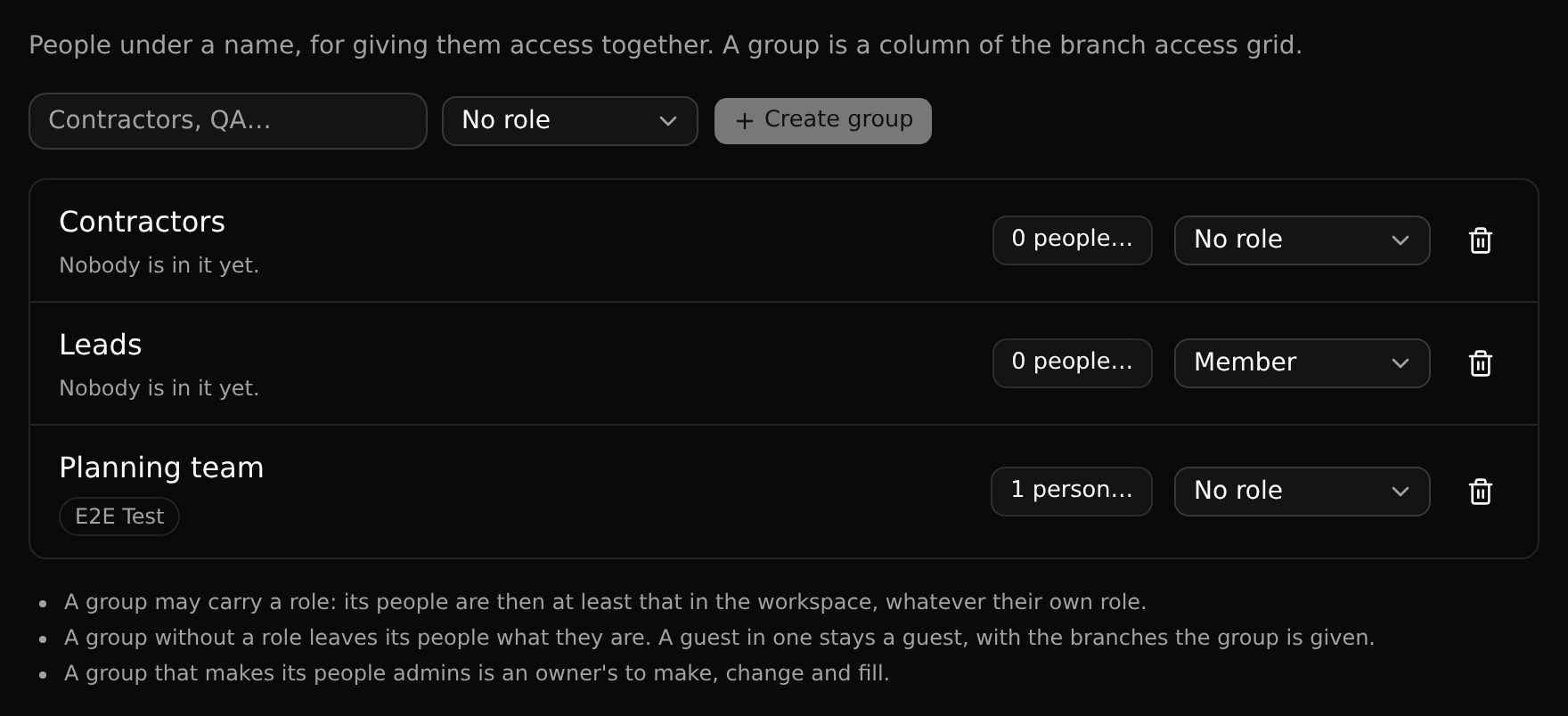
- A group is a column of the branch access grid. Give the group a role on a branch and everybody in it has that role there.
- A group may carry a workspace role: Viewer, Member or Admin. Its people are then at least that in the workspace, whatever their own role. A group without a role leaves its people what they are.
- A guest can be in a group, and stays a guest: they see the branches the group is given, and nothing else. This is the way to let in a team from outside.
- Somebody can be in several groups; the most any of them gives is what counts.
Create a group on the Groups tab with a name and, if you want, a role. Put people in it there, or tick a person's groups in their row on the People tab. A person can also be put in groups as they are added or invited.
Admins and owners manage groups. A group that carries Admin makes admins, so only an owner makes, changes or fills one. No group makes an owner. Deleting a group takes away what it gave, on every branch.
Guests
A guest is in the workspace for the branches somebody shared with them, and nothing else. They are usually made by sharing a branch with somebody from outside; an admin can also make anybody a guest here.
A guest:
- sees only the branches shared with them, by name or through a group, and does there what their role on each allows;
- sees the people who read those branches, not the workspace's whole list;
- reads conversations they were asked into, not the open ones about pages;
- does not see the workspace's groups, packages, releases, automations or connected services;
- makes API keys for a branch shared with them, never for the whole workspace.
A guest with no branch left sees that nothing is shared with them. An admin removes them from the workspace here.
Adding somebody
How many editors, viewers and guests a workspace may have depends on its plan.
Click Add member and enter a username or an e-mail address, and pick a role.
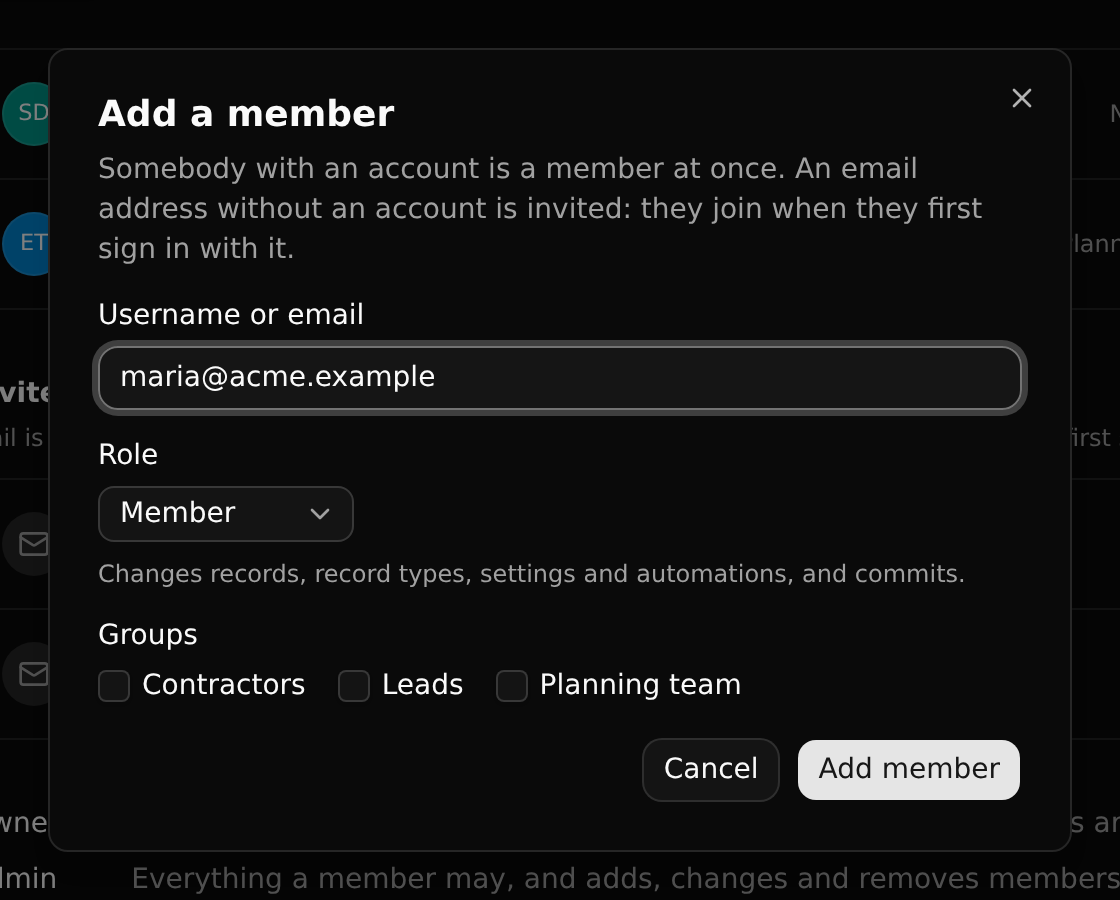
Somebody who has an account is a member at once and is told in their Inbox.
Invitations
An e-mail address that has no account yet is invited. The invitation is a membership waiting to happen: it becomes one, with its role, the first time a person with that address signs in.
Nothing else accepts an invitation. There is no secret link: the link in the mail is just the sign-in page, so forwarding it lets nobody else in.
An invitation is open for 14 days. On the members page, an admin or owner can copy its link, send it again or take it back. When the person joins, they and whoever invited them are told in their Inbox.
When mail is not set up
Without a mail service configured, nothing is sent. The members page says so, and you pass the link on yourself.
Changing a role, removing, leaving
The role of each person is a menu in their row. It offers only the roles you may give.
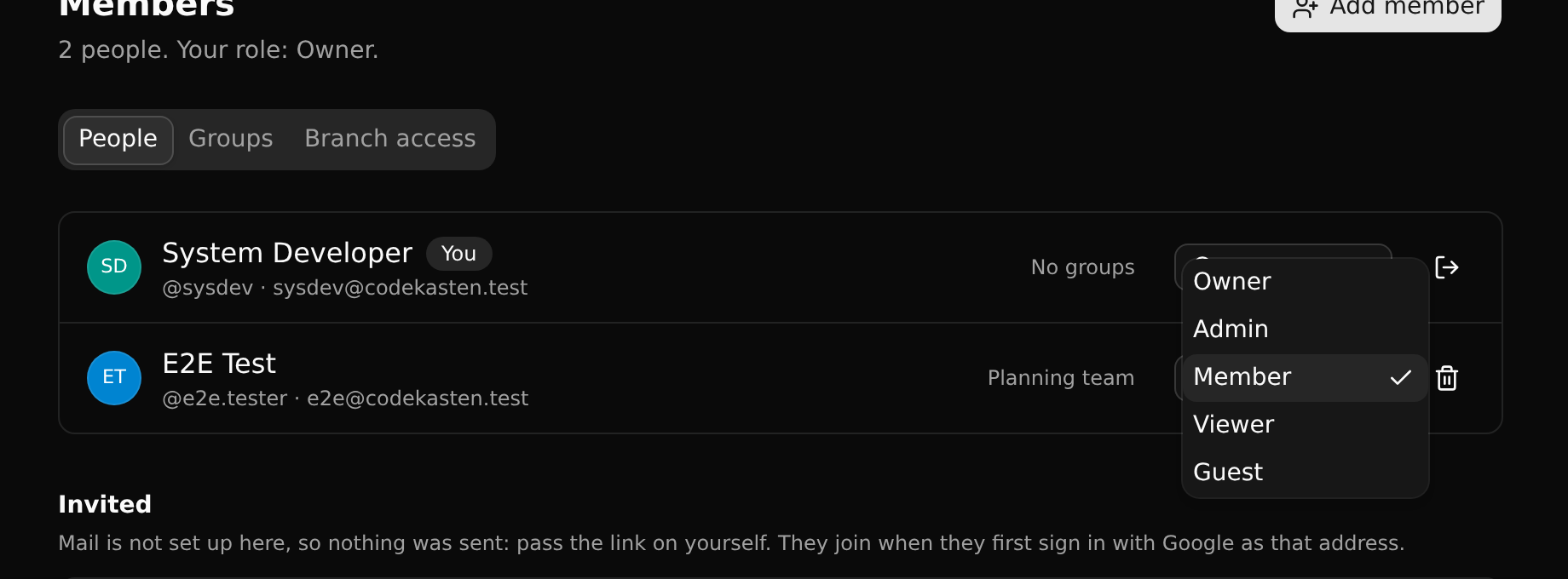
The bin removes somebody; the door on your own row leaves the workspace. The person concerned is told in their Inbox.
Agents
An API key acts as the person who made it, with their role, checked on every request. A viewer's key can only read, and a key stops working when its person leaves the workspace. See API keys.