
Releases and the Marketplace
Publishing a release
A release is a snapshot of a branch at a commit, with a version number. In a package workspace, click Publish release in the header.
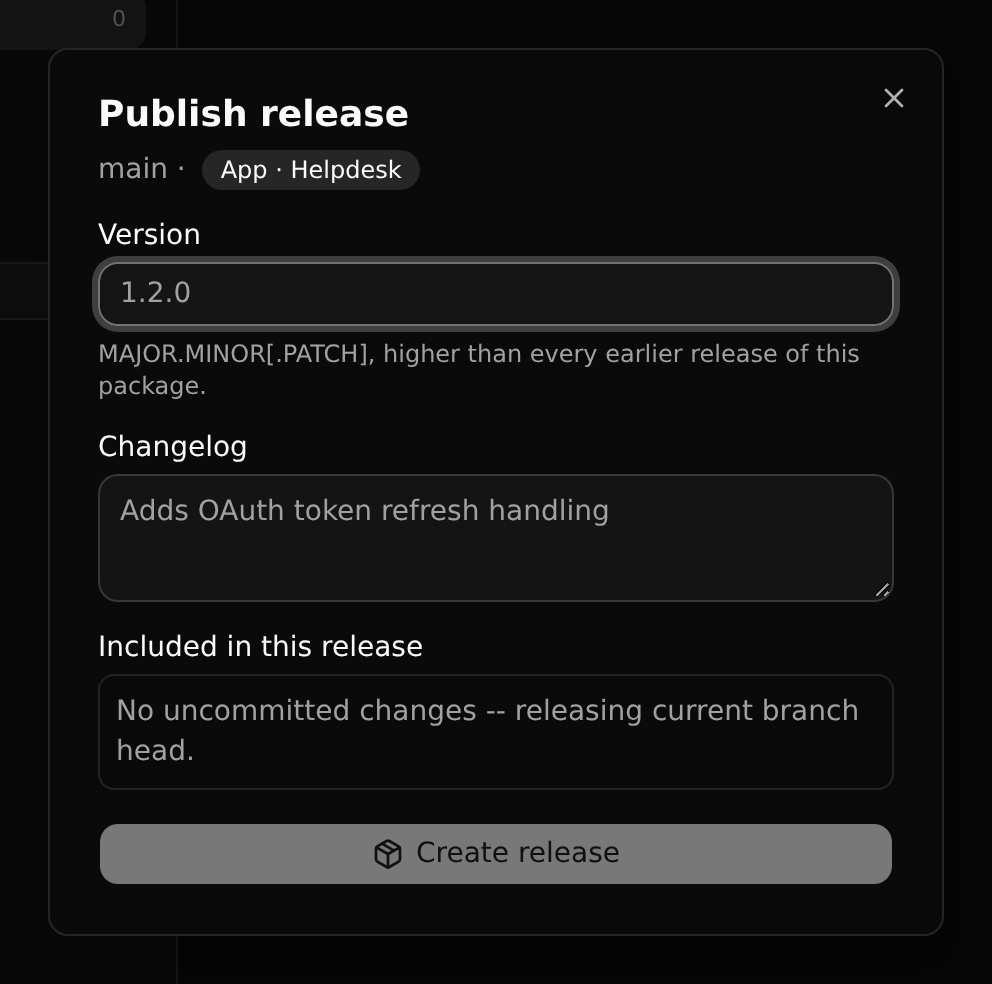
- Version:
MAJOR.MINORorMAJOR.MINOR.PATCH, higher than every earlier release. - Changelog: what installers read before they upgrade.
- Included in this release: says whether the branch has changes that are not committed yet. A release is always of a commit.
A release can also be cut from an older commit (Cut release from here on a commit).
Releases are immutable. To change something, publish the next one.
Review
A new release is a draft. Submitting it sends it for review; a superuser approves or rejects it, with a note. Only a published release can be installed.
| Status | Meaning |
|---|---|
| Draft | Cut, not yet submitted |
| Pending review | Waiting for a superuser |
| Published | Installable |
| Rejected | Sent back, with the reviewer's note |
| Deprecated | Still installed where it is, no longer offered |
The Marketplace
Marketplace in a workspace's sidebar lists every package with a published release, by kind.
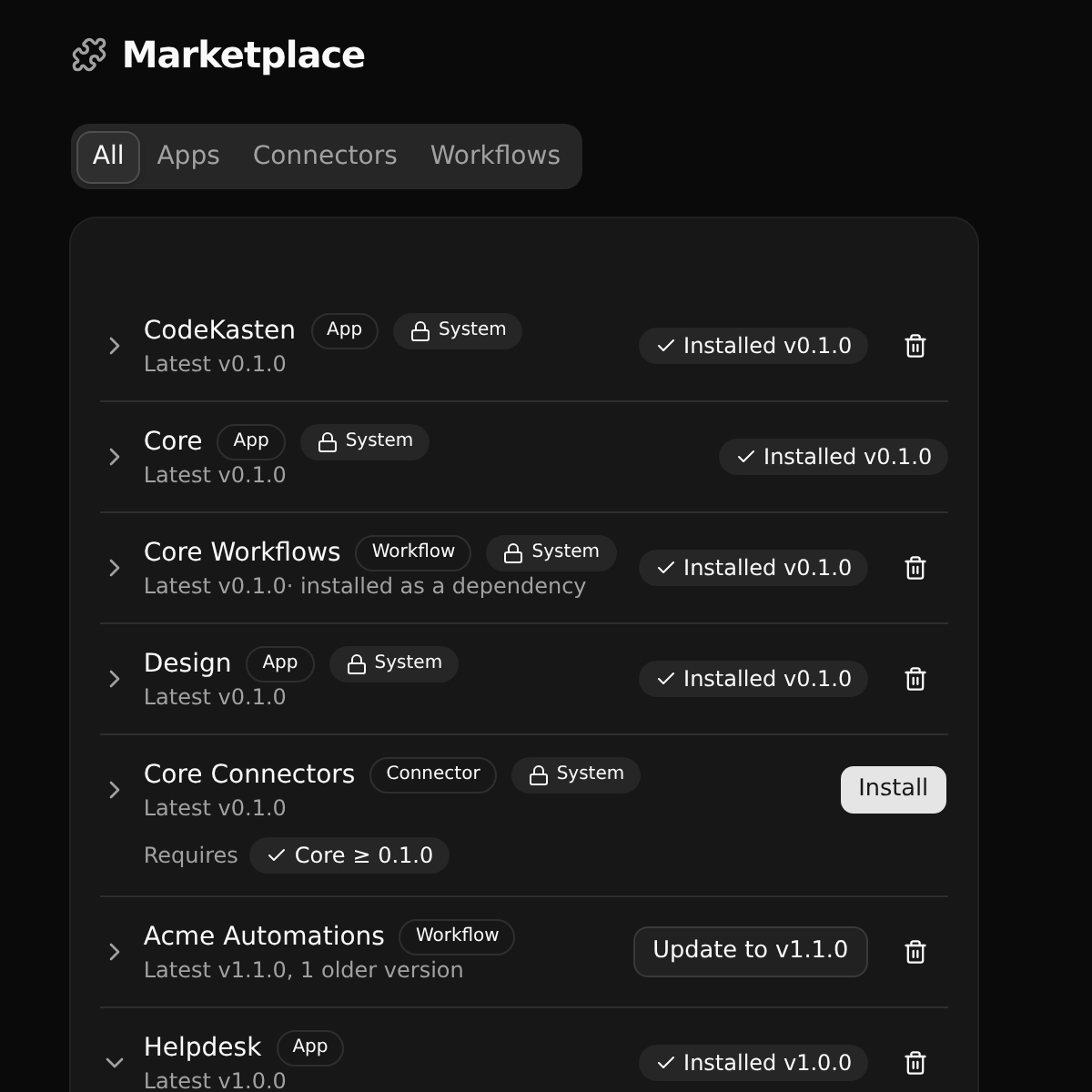
Unfold a package to see its releases, their changelogs and what each requires. Install installs it on the branch you are on.
Dependencies
A release records which other packages it needs, and at least which version. Installing it plans the whole set first: what will be installed, upgraded or kept. If something is missing or two requirements clash, you are shown the plan before anything changes.
Upgrading
When a newer release exists, the package's row offers the upgrade. If the new release drops something your workspace's own configuration uses, the upgrade stops and tells you what; you can then confirm or leave it.
Uninstalling
The bin removes a package from the branch. You are shown what depends on it first. System packages the platform installed (the core app and what it needs) cannot be removed. The CodeKasten app, which a workspace installs itself, can.
Installs follow the branch
A package is installed on a branch. Try an upgrade on a branch, look at the result, and merge it into main when you are happy.