
Names and translations
The names of things an app defines — record types, fields, relations, view sections, sidebar items, settings pages — are labels. An app is taken to be written in English; its labels can be translated, and a workspace can replace any of them with its own wording.
The Translations page
Translations in the sidebar edits labels: pick the record type and the language.
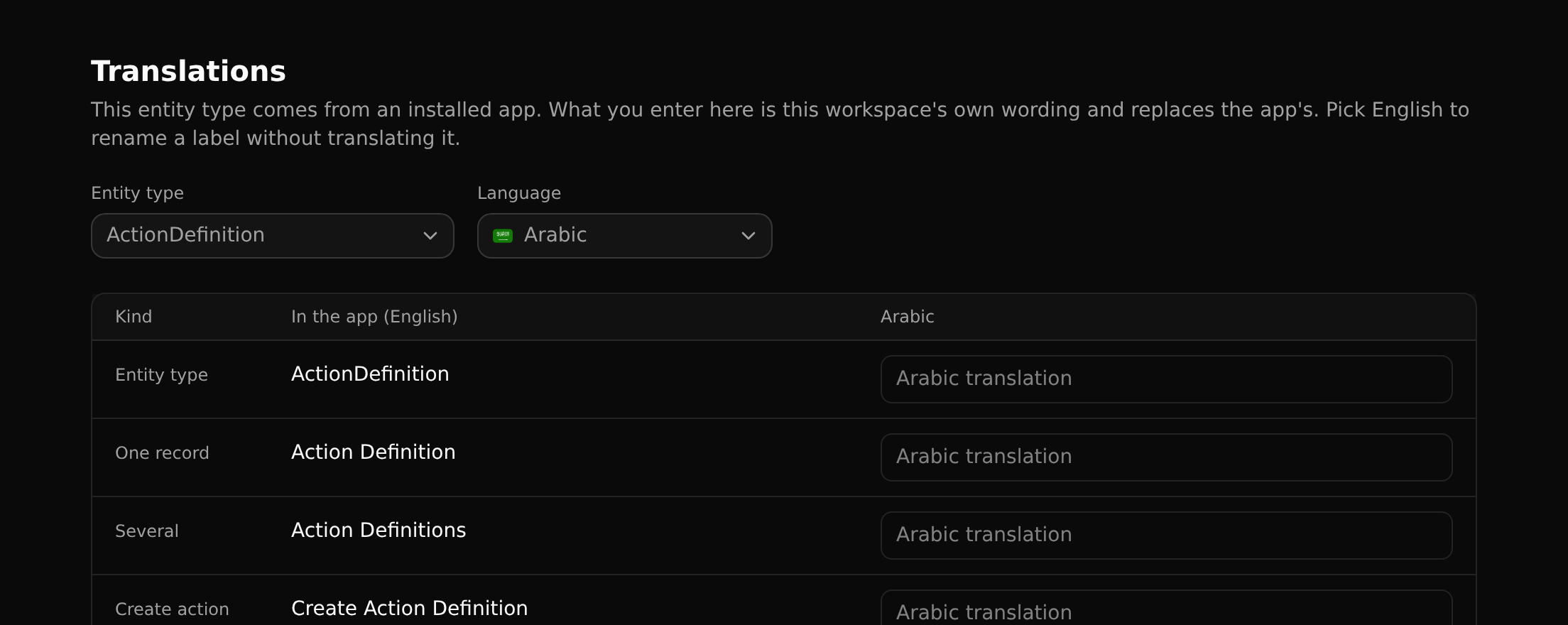
Each row is one label: the type's name, what one record and several records are called, the text of its create action, and then its fields and relations.
- In an app workspace, what you enter ships with the app, so every installer gets the translation.
- In a workspace that installed the app, what you enter is your workspace's own and wins over the app's.
Renaming without translating
Pick English as the language to rename a label for your workspace: call a Project a "Job" without touching the app.
Generated texts
Many texts are built around a name: "Create Project", "Change status…". They are generated from a template in the viewer's language plus the (translated) name, so they need no translation of their own.
When a generated text reads badly in some language, fill it in on this page: One record, Several, Create action, and a command's title. A filled-in text replaces the generated one.
Records
Records themselves are translated on their own Translations tab. See Translating records.